-
DSO150: USB Serial Output
Taking all those pictures of the DSO150 screen reminded me it has a data dump function: press the
V/DivandADJbuttons to squirt configuration, measurements, and trace data from theTXpad on the main board, just in front of the red-black power wires hot-melt glued in place: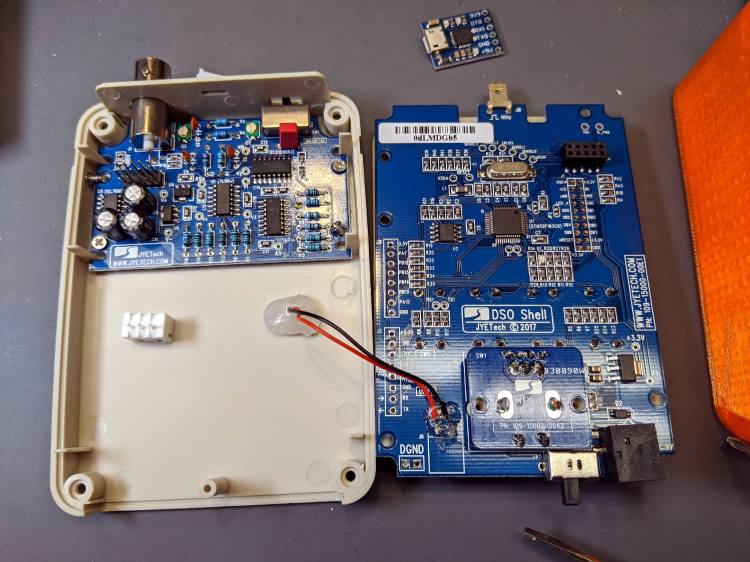
DSO150 USB serial adapter – interior The picture shows the “before” stage, while I was figuring out where to carve another hole in the case.
NB: The
113-15001-111DSO150 firmware version includes the serial output option, so you won’t need third-party firmware. Similarly, current PCBs bring the serial pins to neatly labeled header pads. You should refer to the JYETech DSO150 / DSO Shell product page for the details.After all the cuttin’ and filin’ was done, it looked like this:
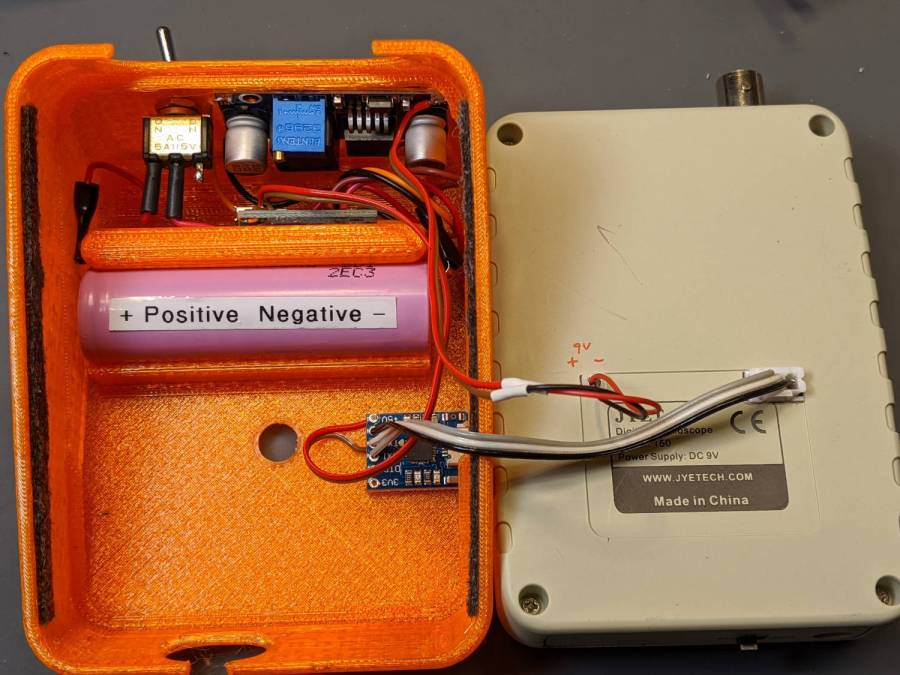
DSO150 USB serial adapter – exterior The power switch on the back of the case (top of the picture) disconnects the lithium cell from the charge controller board (now tucked behind the battery) to eliminate any trickle current discharge. Charging the battery thus requires turning that switch on and turning the scope off with its own power switch (along its front edge). Capturing trace data requires having both switches on (duh), whereupon the scope’s normal operating current convinces the charge controller that the cell hasn’t reached full charge. Turn the scope off and, most likely, the controller will tell you the cell is fully charged.
An intro blurb squirts from the port at 115200 in good old 8N1 format when you turn the scope on:
DSO Shell
JYE Tech Ltd.
WWW.JYETECH.COM
FW: 113-15001-111
Pressing the
V/DivandADJbuttons dumps the trace data:VSen,0.5V Couple,DC VPos, -2.02V Timebase,0.2s HPos,00362 TriggerMode,NORM TriggerSlope,Rising TriggerLevel, 2.02V RecordLength,01024 Vmax, 2.85V Vmin, 0.24V Vavr, 0.87V Vpp, 2.61V Vrms, 1.03V Freq, 0.441Hz Cycl, 2.266s PW, 0.231s Duty, 10.2 % SampleInterval,00008ms 00000,0000000000, 0.8518688 00001,0000000008, 0.5273474 00002,0000000016, 0.5273474 00003,0000000024, 0.5476300 00004,0000000032, 0.5476300 00005,0000000040, 0.5476300 << snippage >> 01015,0000008120, 0.8113037 01016,0000008128, 0.8315863 01017,0000008136, 0.8315863 01018,0000008144, 0.8315863 01019,0000008152, 0.8315863 01020,0000008160, 0.8315863 01021,0000008168, 0.8315863 01022,0000008176, 0.8518688 01023,0000008184, 0.8518688It’s all in neatly comma-separated-value format, so you can slam it into a spreadsheet and have your way with it. Utilities also exist to capture the data, extract the values, and send them directly to GNUplot, etc.
Like so:
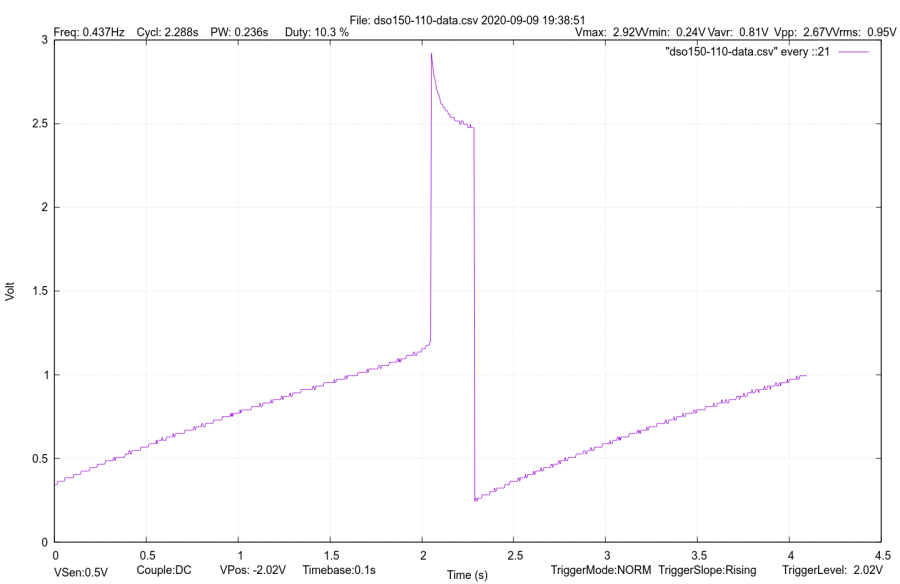
DSO150 test image If I expected to do a lot of that, I’d boldify the traces and embiggen the text, all of which is in the nature of fine tuning.
It’s hard to reproduce the beauty of the DSO150’s display, though:
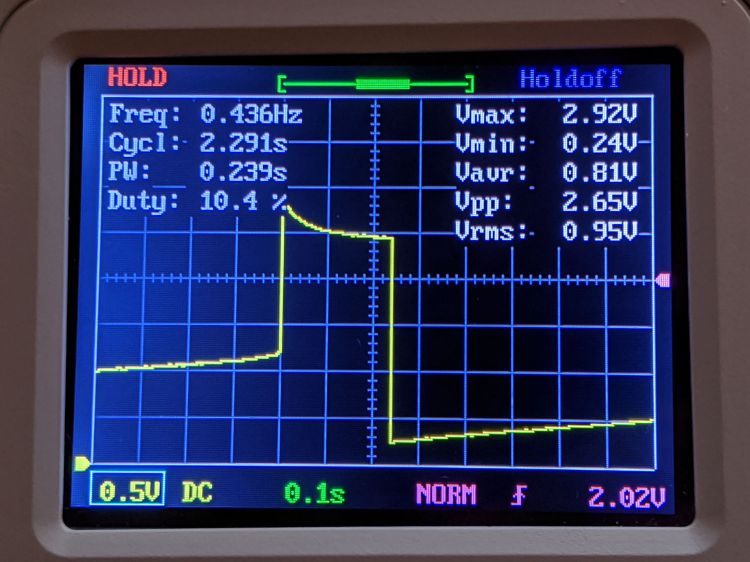
DSO150 test image The DSO150 remains pretty good for being the worst oscilloscope I’m willing to use …
-
Subscribe
Subscribed
Have a WordPress.com account? Log in now.

