-
LED Garage Light: Desk Lamp Upcycling
One of the heatsink panels from the defunct LED garage light now casts a uniform warm-white glow on my desk:
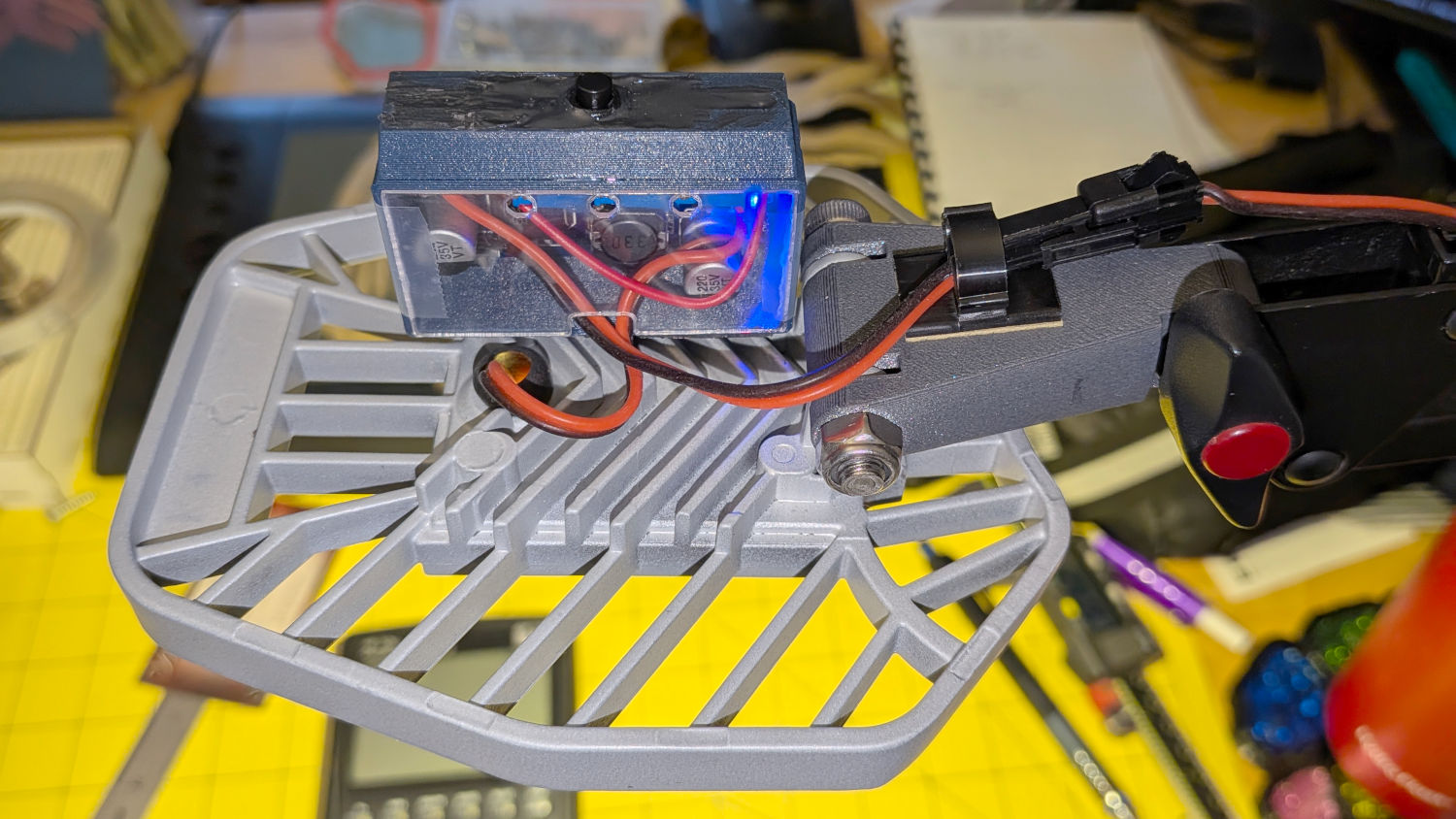
LED Garage Light – desk light A PCB intended as a lithium battery charger serves as a constant-current supply:
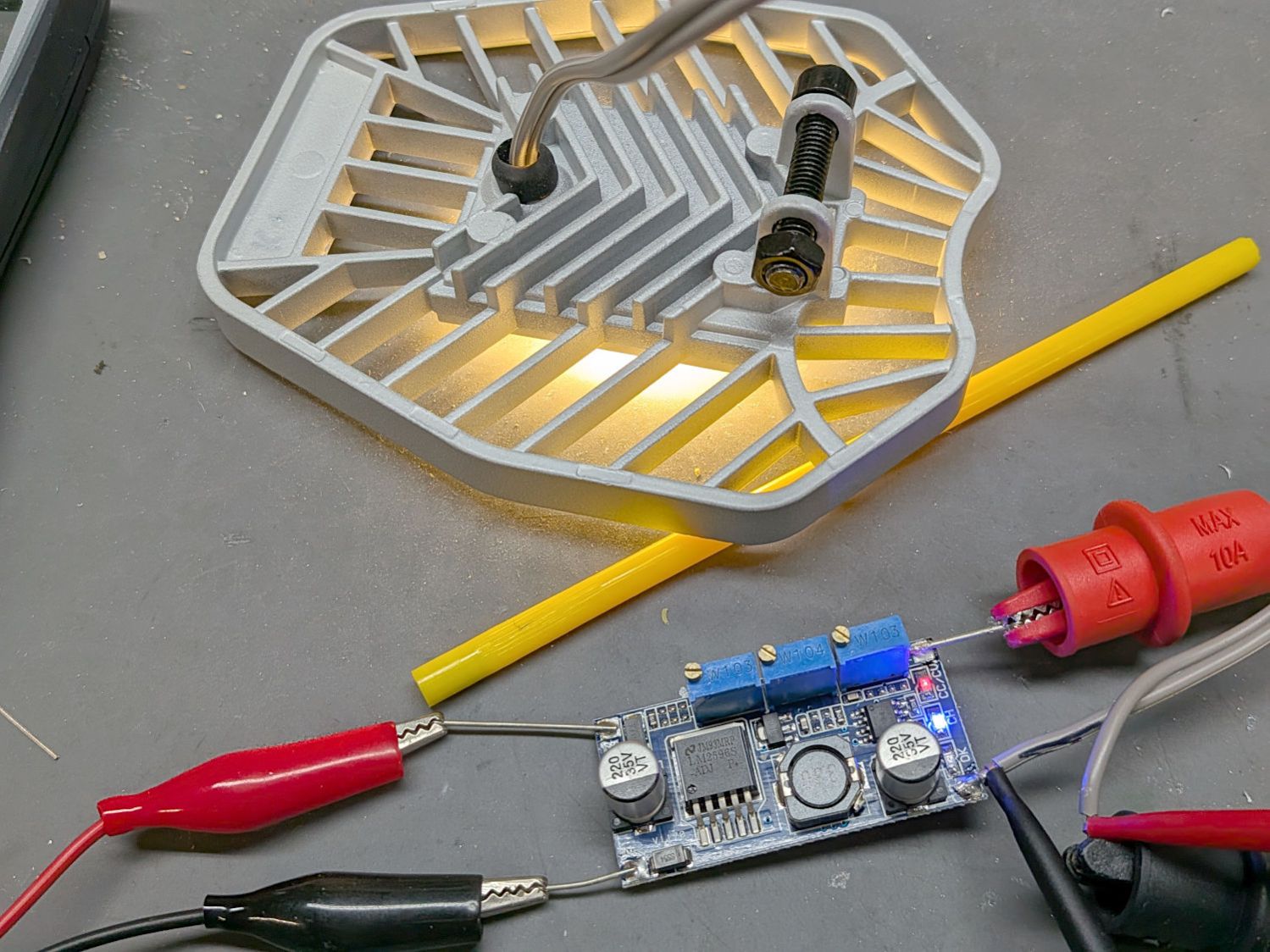
LED Garage Light – constant current driver The three trimpots, from left to right:
- Constant-voltage limit adjustment
- Full-charge current setpoint (irrelevant here)
- Constant-current limit adjustment
The as-received trimpot settings will be wildly inappropriate for a nominal 10 W COB LED array, so:
- Connect the output to about 10 Ω of power resistors
- … with an ammeter in series
- Connect the input to a 12 VDC / 1-ish A wall wart
- Adjust the output voltage to 10 V
- Adjust the output current to 900 mA
As long as the voltage limit is over about 10 V, it will (likely) never matter, as the LED forward drop doesn’t vary much with temperature. Setting it to something sensible keeps it out of the way.
The middle trimpot apparently sets a voltage for a comparator to light an LED when the battery current drops below that level as it reaches full charge.
Although the regulator touts its high efficiency, it does run hot and a heatsink seemed in order:
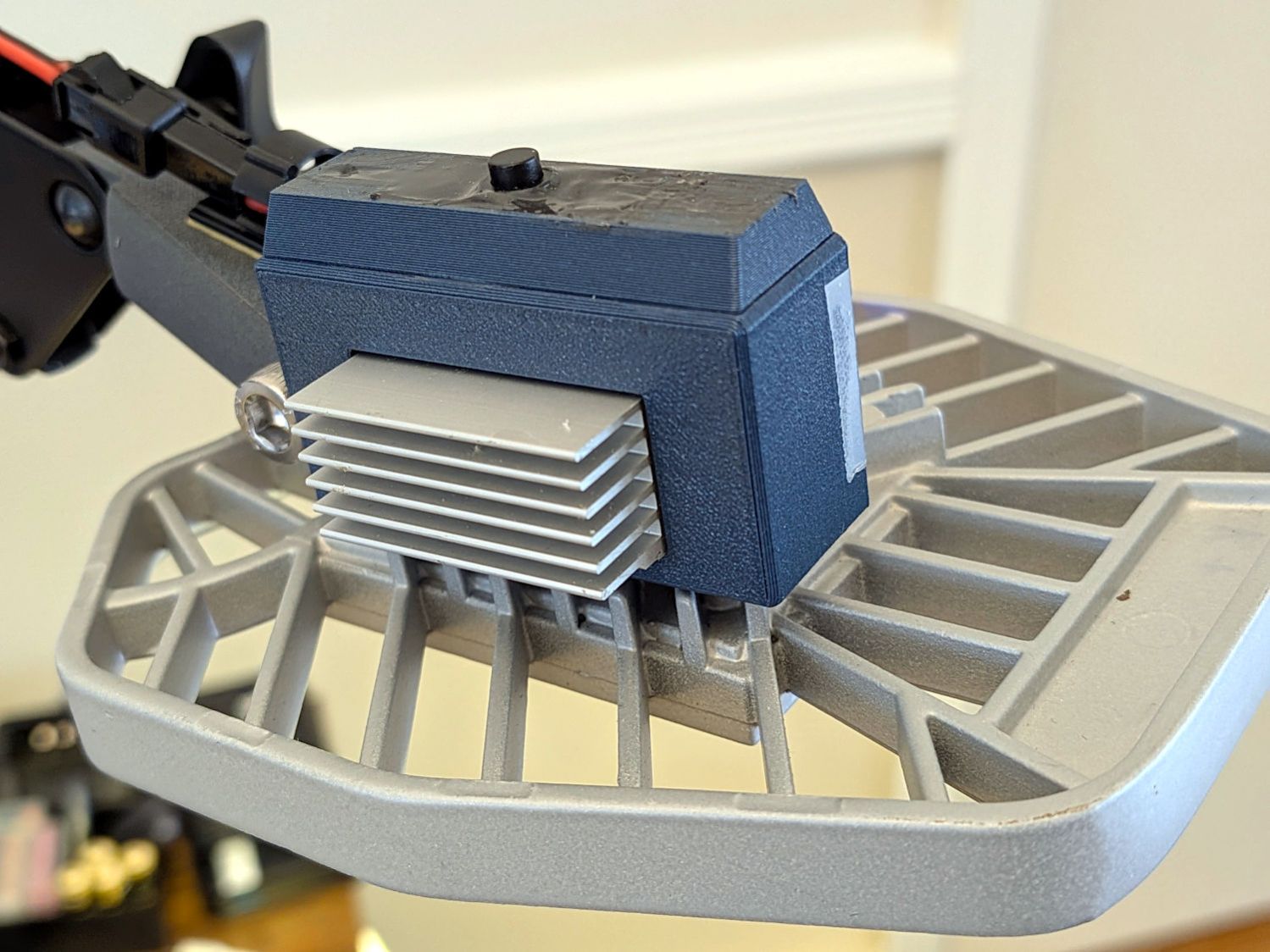
LED Garage Light – heatsink Stipulated: the fins run the wrong way and it’s sitting in the updraft from the main heatsink. It’s Good Enough™.
The switch on the top comes from the collection of flashlight tailcap switches and controls the 12 V input power. It’s buried up to its button in a generous dollop of JB Kwik epoxy, which seemed the least awful way to get that done.
The solid model looks about like you’d expect:
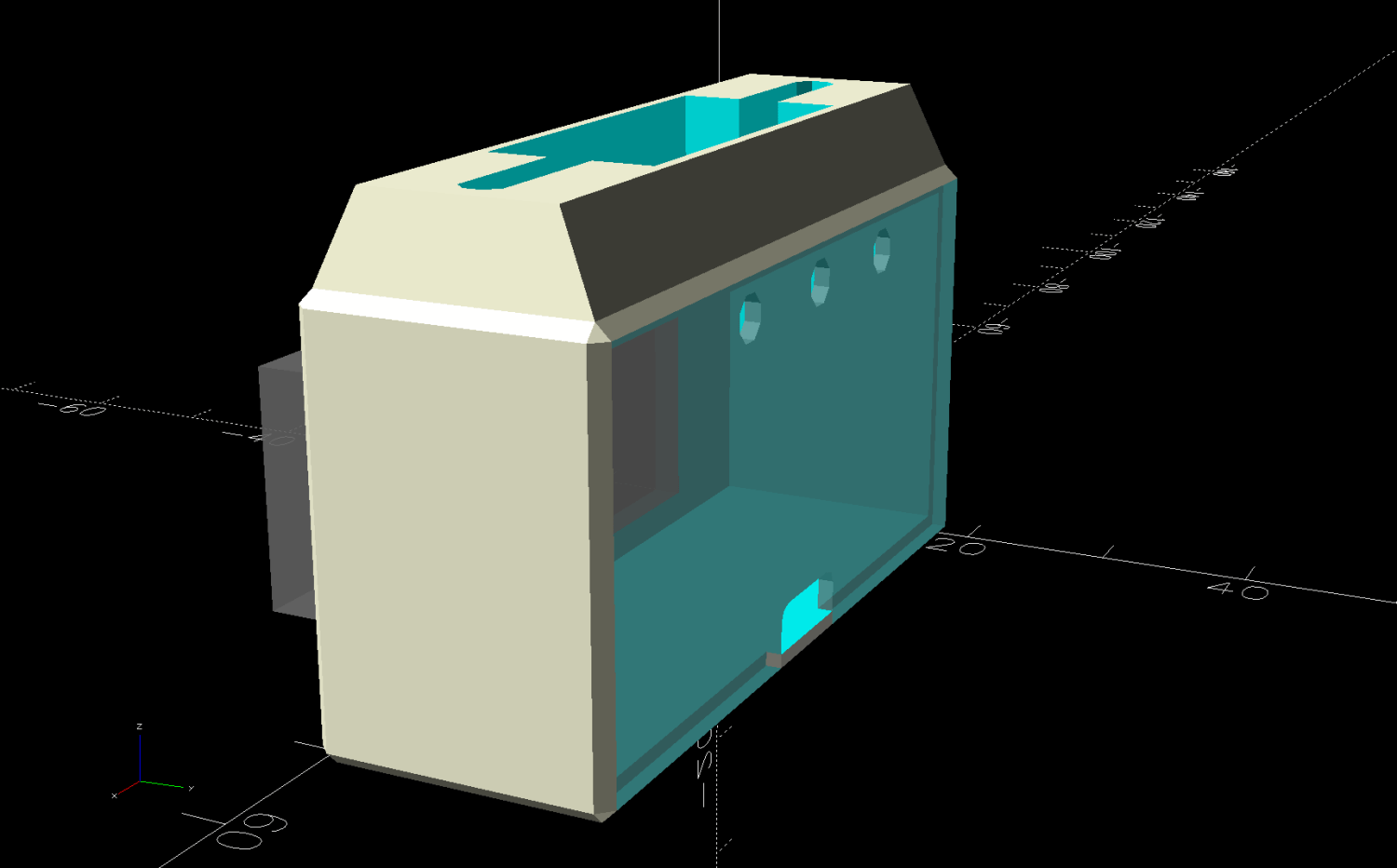
LED Lamp Driver case – switch housing – show solid model The OpenSCAD code exports the (transparent) lid as an SVG so I can import it into LightBurn and laser-cut some thin acrylic. Two tape snippets hold the lid in place pending more power-on hours, after which I’ll apply a few dots of cyanoacrylate adhesive and call it done.
The case builds in two pieces that glue together to avoid absurd support structures:
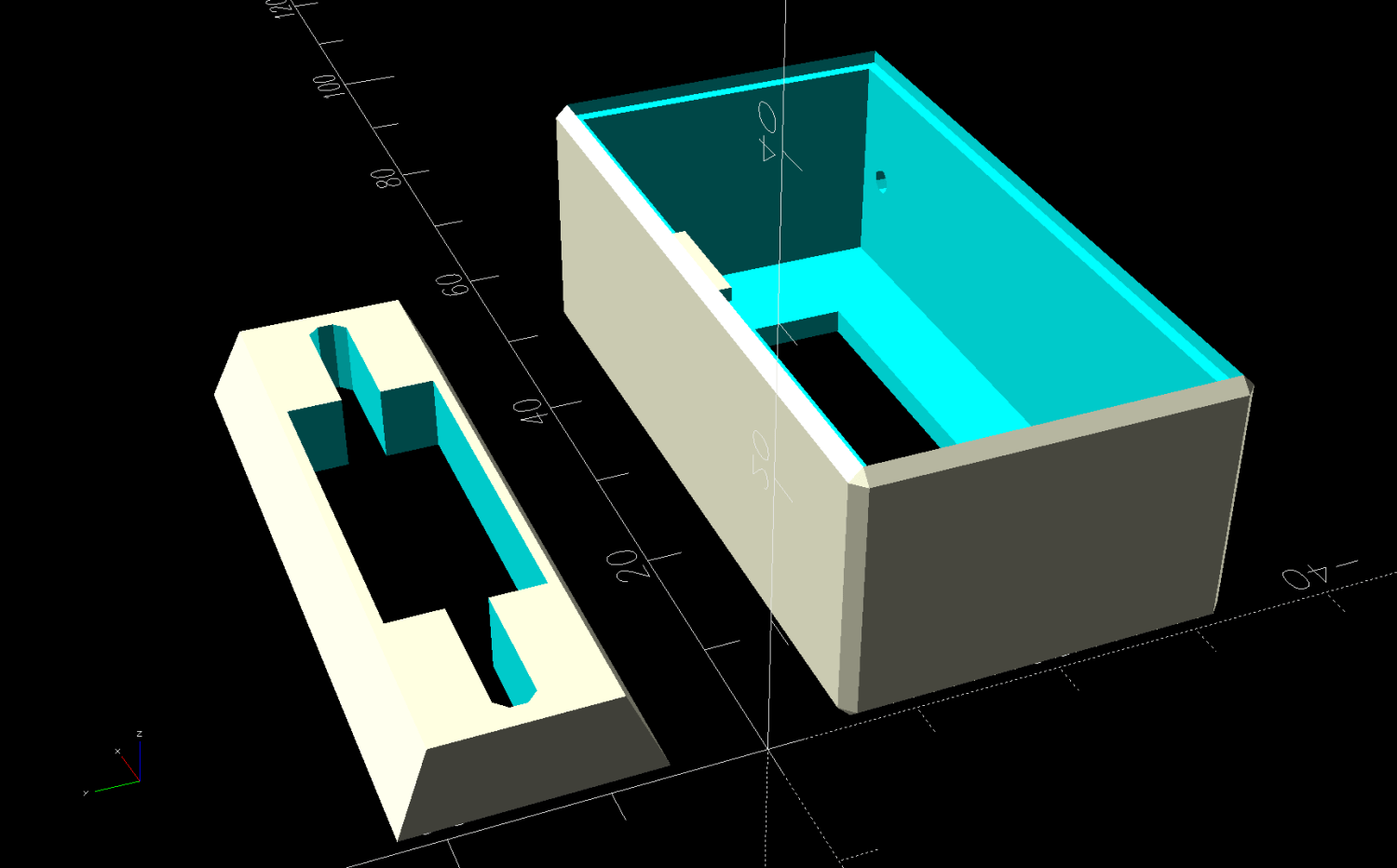
LED Lamp Driver case – switch housing – build solid model A 3D printed adapter goes between the desk lamp arm and the lamp heatsink bolt:
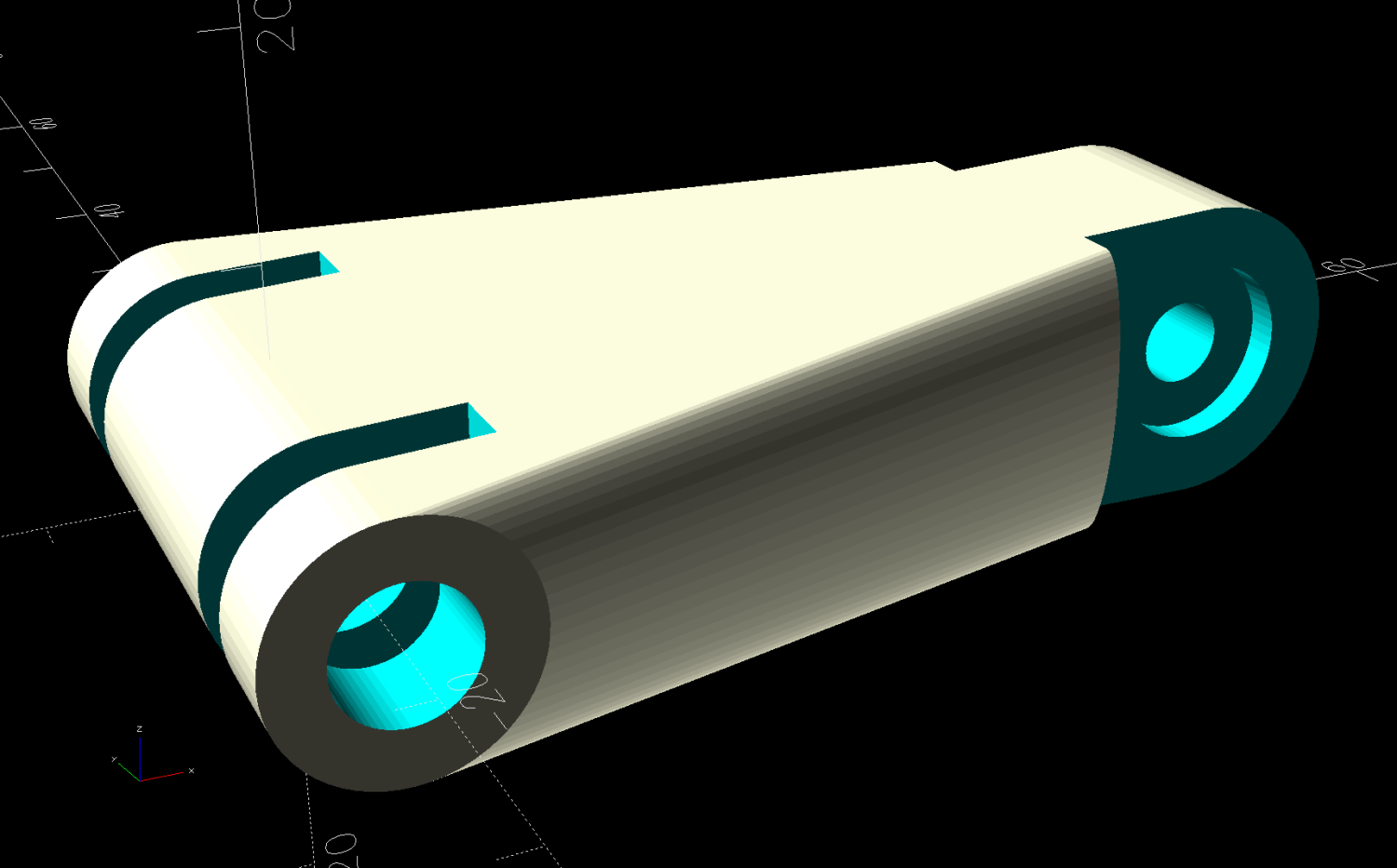
LED Lamp Driver case – arm adapter – solid model The OpenSCAD source code files for the case and adapter arm as a GitHub Gist:
This file contains hidden or bidirectional Unicode text that may be interpreted or compiled differently than what appears below. To review, open the file in an editor that reveals hidden Unicode characters. Learn more about bidirectional Unicode characters// LED Lamp arm adapter // Ed Nisley – KE4ZNU // 2026-03-18 include <BOSL2/std.scad> Layout = "Adapter"; // [Show,Build,ArmClamp,SinkClamp,Adapter] /* [Hidden] */ HoleWindage = 0.2; Protrusion = 0.01; Gap = 5.0; $fn=5*3*4; HoleOC = 45.0; ArmRad = 7.5; ArmWidth = 11.3; SinkOD = 11.5; SinkThick = 3.2; SinkOC = 20.0; ClampThick = 5.0; // outside sink, watch thinning due to hull() // Define things // Screw & bushings in lamp arm bracket // … over-long bushings to prevent coincident surfaces module ArmClamp() { BushingThick = 1.5; BushingOD = 9.0; union() { ycyl(ArmWidth,d=4.0 + HoleWindage); // central M4 screw for (j=[-1,1]) { back(j*(ArmWidth – BushingThick + Protrusion)/2) ycyl(BushingThick + Protrusion,d=BushingOD); back(j*(ArmWidth + 10)/2) cuboid([2*ArmRad,10,2*ArmRad]); } } } module SinkClamp() { union() { ycyl(2*SinkOC,d=6.0 + HoleWindage); // central M6 screw for (j=[-1,1]) back(j*SinkOC/2) { ycyl(SinkThick + Protrusion,d=SinkOD); cuboid([SinkOD,SinkThick + Protrusion,2*SinkOD]); } } } module Adapter() { difference() { hull() { right(HoleOC) ycyl(ArmWidth,r=ArmRad); ycyl(SinkOC + SinkThick + 2*ClampThick,d=SinkOD); } right(HoleOC) ArmClamp(); SinkClamp(); } } // Build it if (Layout == "ArmClamp") ArmClamp(); if (Layout == "SinkClamp") SinkClamp(); if (Layout == "Adapter") Adapter(); if (Layout == "Build") up(SinkOD/2) yrot(-atan((ArmRad – SinkOD/2)/HoleOC)) Adapter(); This file contains hidden or bidirectional Unicode text that may be interpreted or compiled differently than what appears below. To review, open the file in an editor that reveals hidden Unicode characters. Learn more about bidirectional Unicode characters// LED Constant-current driver case // Ed Nisley – KE4ZNU // 2026-03-15 include <BOSL2/std.scad> Layout = "Show"; // [Show,Build,Case,Lid,LidSVG,Switch] /* [Hidden] */ ThreadThick = 0.2; HoleWindage = 0.2; Protrusion = 0.01; Gap = 5.0; WallThick = 1.8; TapeThick = 1.5; DriverOA = [48.5,13.5 + TapeThick,23.5]; // PCB forward Y, pots along top to rear SinkOA = [31.5,12.0,15.5]; // fins forward SinkOffset = [(DriverOA.x – SinkOA.x)/2,0,2.0]; // from lower left front corner of PCB AdjPots = [14,24,34]; // screwdriver adjust offsets AdjOD = 3.0; // … access hole dia CaseOA = DriverOA + [2*WallThick,2*WallThick,2*WallThick]; echo(CaseOA=CaseOA); LidOA = [CaseOA.x – WallThick,CaseOA.z – WallThick,1.0]; Cables = [8.0,3.0 + WallThick/2,LidOA.z]; SwitchWireOC = DriverOA.x – 6.0; SwitchCapBase = [DriverOA.x + WallThick,DriverOA.y + WallThick]; SwitchCapTop = [DriverOA.x,12.0]; SwitchCavity = [25.0,10.5,5.5]; // Define things module Lid() { difference() { cuboid(LidOA,anchor=BOTTOM+FWD+LEFT); for (i = AdjPots) translate([i,LidOA.y – AdjOD/2 – WallThick/2,-Protrusion]) cyl(LidOA.z + 2*Protrusion,d=AdjOD,anchor=BOTTOM,$fn=8,spin=180/8); translate([LidOA.x/2,-Protrusion,-Protrusion]) cuboid(Cables + [0,Protrusion,2*Protrusion],rounding=1.0,edges=[BACK+LEFT,BACK+RIGHT],anchor=BOTTOM+FWD); } } module SwitchBox() { difference() { prismoid(SwitchCapBase,SwitchCapTop,SwitchCavity.z,anchor=BOTTOM); down(Protrusion) cuboid(SwitchCavity + [0,0,2*Protrusion],anchor=BOTTOM); hull() for (i=[-1,1]) right(i*SwitchWireOC/2) zcyl(CaseOA.z,d=3.0,$fn=8,spin=180/8); } } module Case() { difference() { cuboid(CaseOA,chamfer=WallThick/2,anchor=BOTTOM+FWD+LEFT); translate([WallThick,WallThick + Protrusion,WallThick]) cuboid(DriverOA + [0,WallThick + Protrusion,0],anchor=BOTTOM+FWD+LEFT); translate(SinkOffset + [WallThick,WallThick + 2*Protrusion,WallThick]) cuboid(SinkOA,anchor=BOTTOM+BACK+LEFT); for (i=[-1,1]) translate([i*SwitchWireOC/2 + CaseOA.x/2,CaseOA.y/2,CaseOA.z/2]) zcyl(CaseOA.z,d=2.0,anchor=BOTTOM,$fn=8,spin=180/8); translate([WallThick/2,(CaseOA.y + LidOA.z),WallThick/2]) xrot(90) scale([1,1,2]) Lid(); } } // Build it if (Layout == "Switch") SwitchBox(); if (Layout == "Case") Case(); if (Layout == "Lid") Lid(); if (Layout == "LidSVG") projection(cut=true) Lid(); if (Layout == "Show") { Case(); translate(SinkOffset + [WallThick,WallThick + 2*Protrusion,WallThick]) color("Gray",0.7) cuboid(SinkOA,anchor=BOTTOM+BACK+LEFT); translate([CaseOA.x/2,CaseOA.y/2,CaseOA.z]) SwitchBox(); translate([WallThick/2,CaseOA.y,WallThick/2]) xrot(90) color("Gray",0.7) Lid(); } if (Layout == "Build") { fwd(Gap) xrot(90) Case(); translate([CaseOA.x/2,(Gap + CaseOA.y/2),0]) SwitchBox(); }
-
Subscribe
Subscribed
Have a WordPress.com account? Log in now.

