-
Kicad-to-HAL: Mesa Electronics 5I25 FPGA Card
The Mesa Electronics 5I25 FPGA card can implement a vast number of hardware I/O controllers, but I’ve only set up the few Kicad symbols required for my simple Sherline mill. The LinuxCNC hostmot2 doc gives the details.
The
hm2_5i25.0component (upper right) carries the pins and functions pertaining to the card itself: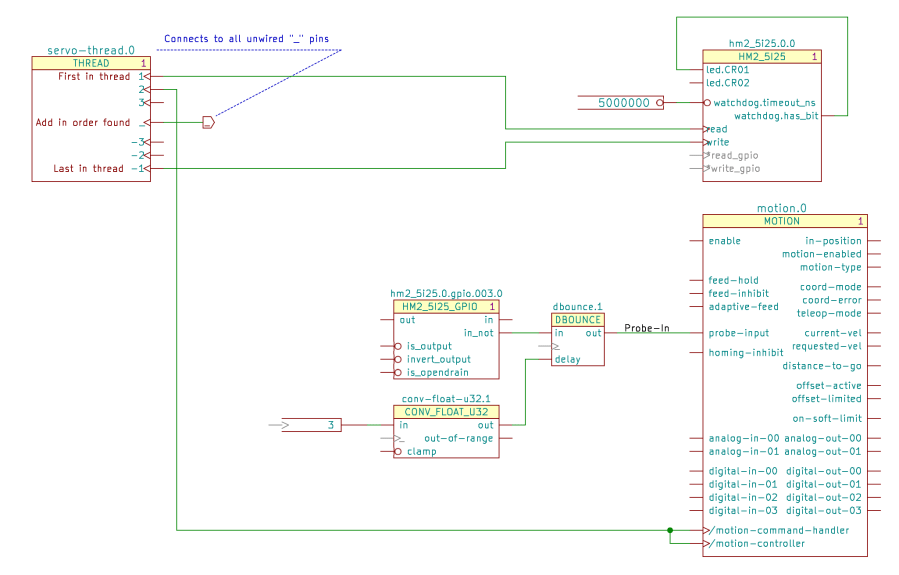
Servo Thread Hookup schematic If you have two such cards, you’ll also have an
hm2_5i25.1component. Kicad will annotate both with a zero, whichKicad-to-HALthen strips off before attaching the pin names.The
readandwritefunctions must attach to the first and last positions of theservo-threadcomponent, respectively, to make the thing work correctly.The
read_gpioandwrite_gpiofunctions are normally not connected; the*prefix suppresses aKicad-to-HALmessage about unconnected named pins. The code will strip the asterisk before connecting the pins, but that part is … lightly tested.Similarly, the schematic shows the watchdog output connected to one of the on-card LEDs. I’m not sure how to test that and wouldn’t see it inside the PC case; it might work as described.
A
hm2_5i25.0.gpio.000Kicad symbol (middle) collects all of the HAL pins related to a single 5I25 GPIO pin; edit the three-digit pin identifier to match the hardware pin. Although theoutandinnames look backwards, they indicate the hardware direction: you write to theoutpin and read from theinpin.The Sherline uses four stepgen blocks, so that’s the only other Kicad symbol on offer:
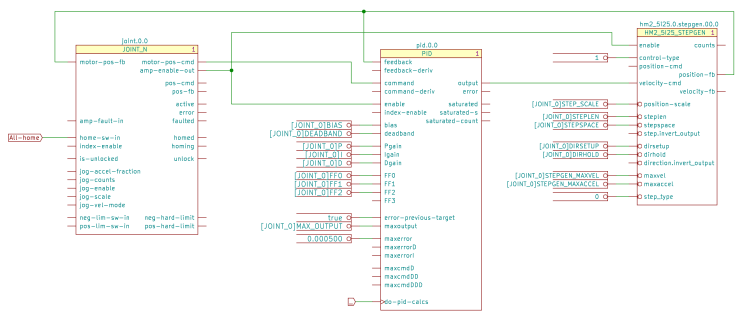
X Axis Joint PID Stepgen schematic The nets connecting those three components come directly from the LinuxCNC
pncconfconfiguration utility. Fancier machines surely require more attention to the coefficient details.Connecting a
trueparameter to thestep.invert_outputanddirection.invert_outputpins flips the polarity of those signals. The pins are aliases of the corresponding GPIOinvert_outputpin, with the key advantage of not requiring you to figure out which GPIO pin corresponds to the FPGA’s output pin for each axis.The 5I25 card requires a pair of
loadrtcomponents to load the drivers and configure the FPGA: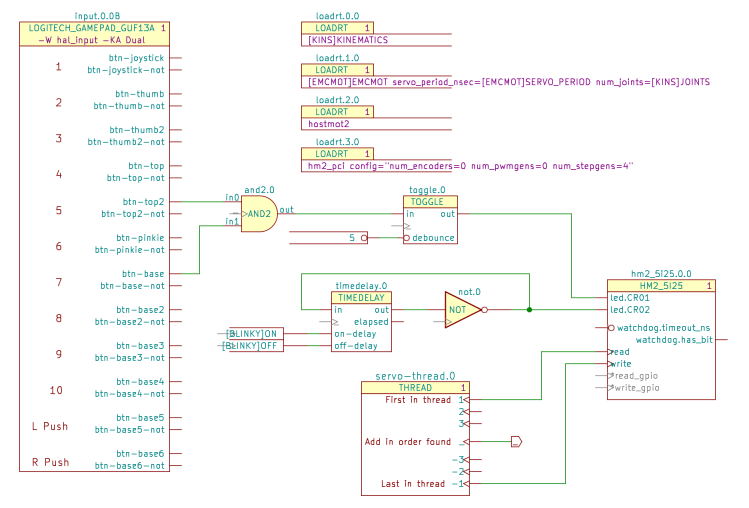
Kicad-to-HAL Demo Schematic The one-page demo schematic uses the same 5I25 configuration as the Sherline, with the LEDs driven by gamepad buttons to provide something to look at:
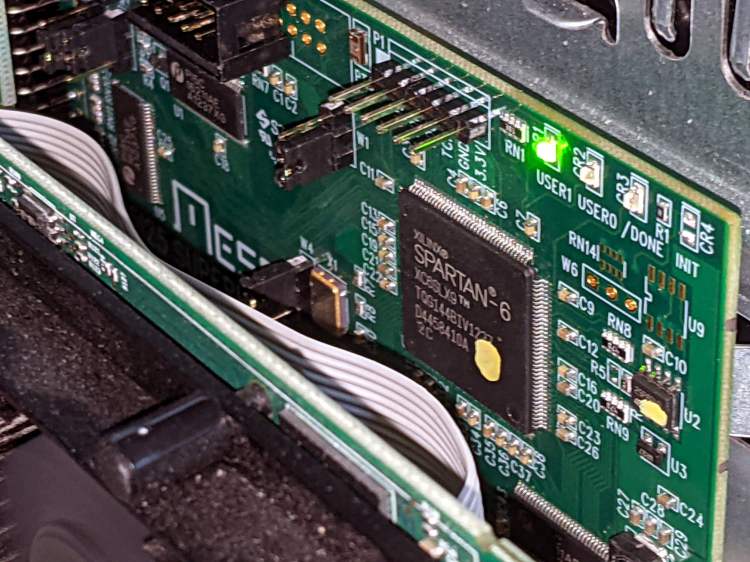
Mesa 5I25 card – LED activity I should force-fit an LED into the Sherline driver box just to have something easier to see.
-
Subscribe
Subscribed
Have a WordPress.com account? Log in now.

