Ed Nisley's Blog: Shop notes, electronics, firmware, machinery, 3D printing, laser cuttery, and curiosities. Contents: 100% human thinking, 0% AI slop.
Having just finished tweaking the nosepieces on my new sunglasses into shape, it’s worth mentioning a few pliers you should have.
This set of pliers (PN HH02075SET) from Circuit Specialists is absolutely invaluable. Mine were about twice the current price; the picture looks the same.
You’ll use these four metal-forming pliers (PN 60398) from Micro-Mark somewhat less often, but when you need ’em (like for adjusting your glasses), you need ’em bad. Mine were about half the current price, but I’m sure they cost the same in constant dollars.
I picked up a bunch of surplus Plato 170 flush cutters a long time ago, but even their current price isn’t too forbidding. Great for circuit board work.
Most of the time you need just a single PWM output, but when you’re driving a transformer (or some such) and need twice the primary voltage, you can use a pair of PWM outputs in push-pull mode to get twice the output voltage.
A single PWM output varies between 0 and +5 V (well, Vcc: adjust as needed), so the peak-to-peak value is 5 V. Drive a transformer from two out-of-phase PWM outputs, such that one is high while the other is low, and the transformer sees a voltage of 5 V one way and 5 V the other, for a net 10 V peak-to-peak excursion.
A 50% duty cycle will keep DC out of the primary winding, but a blocking capacitor is always a good idea with software-controlled hardware. A primary winding with one PWM output stuck high and the other stuck low is a short circuit that won’t do your output drivers or power supply any good at all.
An Arduino (ATMega168 and relatives) can do this without any additional circuitry if you meddle with the default PWM firmware setup. You must use a related pair of PWM outputs that share an internal timer; I used PWM 9 and 10.
The timer tick rate depends on what you’re trying accomplish. I needed something between 10 & 50 kHz, so I set the prescaler to 1 to get decent resolution: 62.5 ns.
// Times in microseconds, converted to timer ticks
//  ticks depend on 16 MHz clock, so ticks = 62.5 ns
//  prescaler can divide that, but we're running fast enough to not need it

#define TIMER1_PRESCALE   1     // clock prescaler value
#define TCCR1B_CS20       0x01  // CS2:0 bits = prescaler selection
Phase-Frequency Correct mode (WGM1 = 8) runs at half-speed (it counts both up and down in each cycle), so the number of ticks is half what you’d expect. You could use Fast PWM mode or anything else, as long as you get the counts right; see page 133 of the Fine Manual.
The phase of the PWM outputs comes from the Compare Output Mode register settings. Normally the output pin goes high when the PWM count resets to zero and goes low when it passes the duty cycle setting, but you can flip that around. The key bits are COM1A and COM1B in TCCR1A, as documented on page 131.
As always, it’s easiest to let the Arduino firmware do its usual setup, then mercilessly bash the timer configuration registers…
// Configure Timer 1 for Freq-Phase Correct PWM
//   Timer 1 + output on OC1A, chip pin 15, Arduino PWM9
//   Timer 1 - output on OC1B, chip pin 16, Arduino PWM10

 analogWrite(PIN_PRI_A,128);    // let Arduino setup do its thing
 analogWrite(PIN_PRI_B,128);

 TCCR1B = 0x00;                 // stop Timer1 clock for register updates

// Clear OC1A on match, P-F Corr PWM Mode: lower WGM1x = 00
 TCCR1A = 0x80 | 0x00;

// If push-pull drive, set OC1B on match
#if PUSH_PULL
 TCCR1A |= 0x30;
#endif

 ICR1 = PERIOD_TICKS;           // PWM period
 OCR1A = PERIOD_TICKS / 2;      // ON duration = drive pulse width = 50% duty cycle
 OCR1B = PERIOD_TICKS / 2;      //  ditto - use separate load due to temp buffer reg
 TCNT1 = OCR1A - 1;             // force immediate OCR1x compare on next tick

// upper WGM1x = 10, Clock Sel = prescaler, start Timer 1 running
 TCCR1B = 0x10 | TCCR1B_CS20;
And now you’ll see PWM9 and PWM10 running in opposition!
Memo to Self: remember that “true” does not equal “TRUE” in the Arduino realm.
If you’re building an Arduino shield, you must align the connectors & holes with the Arduino board underneath. That seems to be easy enough, assuming you start with the Eagle CAD layout found there, but when you’re starting with your own layout, then things get messy.
Here’s how to verify that you have everything in the right spot, at least for Diecimilla-class boards. Start by holding the Arduino board with the component side facing you, USB connector on the upper left. Rotate your own PCB layout appropriately or stand on your head / shoulders as needed.
With the exception of J3, the center points of the connectors & holes seem to be on a hard 25-mil grid with the origin at the lower-left corner of the board (below the coaxial power jack):
J3 (AREF) @ (1.290,2.000)
J1 (RX) @ (2.150,2.000)
POWER @ (1.550,0.100)
J2 (AIN) @ (2.250,0.100)
Upper-left hole = 0.125 dia @ (0.600,2.000)
Upper-right hole = 0.087 dia @ (2.600,1.400)
Lower-right hole = 0.125 dia @ (2.600,0.300)
Reset button = (2.175,1.065)
Offsets between points of interest:
connector rows Y = 1.900
right holes Y = 1.100
UL hole to UR hole = (2.000,-0.600)
UL hole to J3 X = 0.690
J3 to J1 X = 0.860
J3 to POWER X = 0.260
POWER to J2 X = 0.700
J1 to UR hole = (0.450,-0.600)
J2 to LR hole = (0.350,200)
Note that the three etched fiducial targets are not on the 25-mil grid. They’re not on a hard metric grid, either, so I don’t know quite what’s going on. Fortunately, they’re not holes, so it doesn’t matter.
Memo to self: perhaps I’ve measured & calculated & transcribed those values correctly. Double-check before drilling, perhaps by superimposing double-size PCB layouts on a light table or window. Finding it then is much less annoying than after drilling the board… ask me how I know.
The charger pedestal includes an LED to light up the dosimeter’s graticule. I seated a 10 mm white LED into a polycarbonate ring that also serves as the base for the stiff spring that presses the contact assembly against the dosimeter’s internal spring.
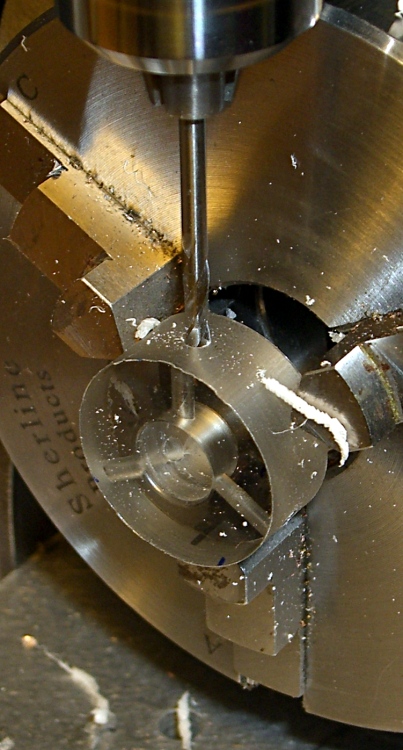
I made the base while I was doing the lathe work for the contact assembly, then grabbed it in the Sherline mill’s 3-jaw chuck to drill the 4-40 holes with a touch of manual CNC.
As before, I manually tapped the holes, but it’s a lot easier with each hole at the right location and pointed in the right direction!
Step bit making an annular ring
I described the step-drilling that produced the correct hole and shoulder sizes there. That won’t work every time, but in this situation it was just about perfect.
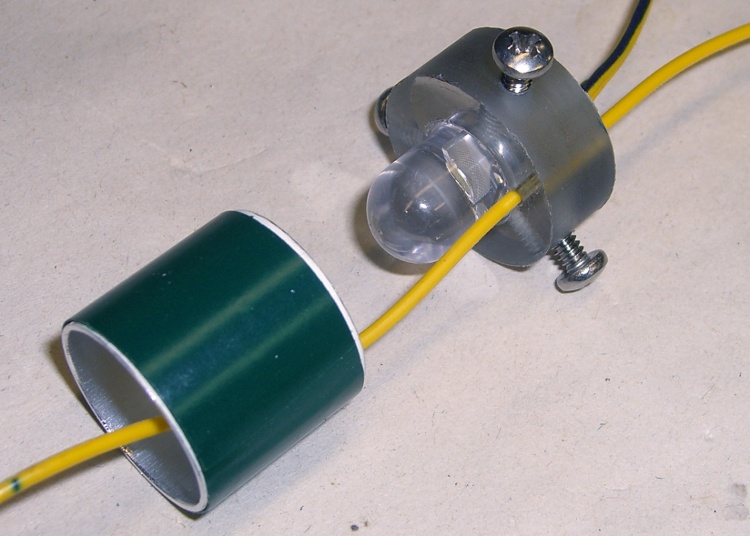
The LED power wires pass through the central hole in the ring. I used a blob of hot-melt glue to hold the LED in place; epoxy would be more in keeping with the nuclear weapons theme, but HMG is just fine with me.
There’s another hole just to one side of the LED, more or less centered between the mounting screws, that passes the wire from the dosimeter charging contact out of the pedestal. This wire starts at the center of the top, passes inside the spring, and must not be pinched along the way.
LED in base with spring positioning ring
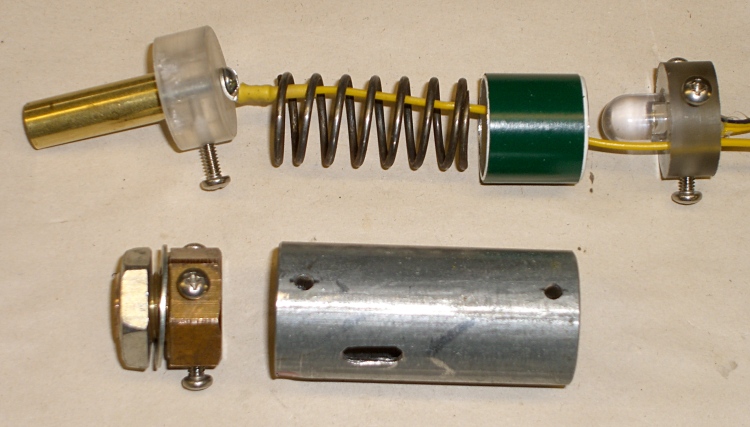
I added an aluminum cylinder as a positive stop to prevent the dosimeter contact assembly from getting pushed too far into the pedestal. The length matches up with the anti-rotation slot in the EMT: the screw doesn’t quite hit the top or the bottom of the slot.
A wrap of green electrical tape around the outside made the cylinder a slip fit inside the EMT shell. It shouldn’t move at all.
The cylinder also holds the spring in place so it can’t rub against the charging wire, but I’m pretty sure that isn’t necessary.
The spring comes from my parts heap. It must provide a bit under 8 pounds of force to activate the dosimeter charging spring with about 3 mm of travel. I picked the length of the EMT shell to preload the spring to make the answer come out right, which also affects the length of the aluminum cylinder.
The spring OD must fit into the EMT and the ID must clear the 10 mm LED and charging wire in the base. Your mileage will most certainly vary.
Charging pedestal components
Assembly is straightforward, but goes much more easily with three hands.
Screw the panel mount bolt into place
Attach the charging wire to the central contact & remove the anti-rotation screw
Slide the central contact in place, reinstall the screw through the slot
Slide the spring & aluminum cylinder in place, wire in the middle
Pass the wire through the LED base ring
Press the base assembly into position and hold while installing the screws
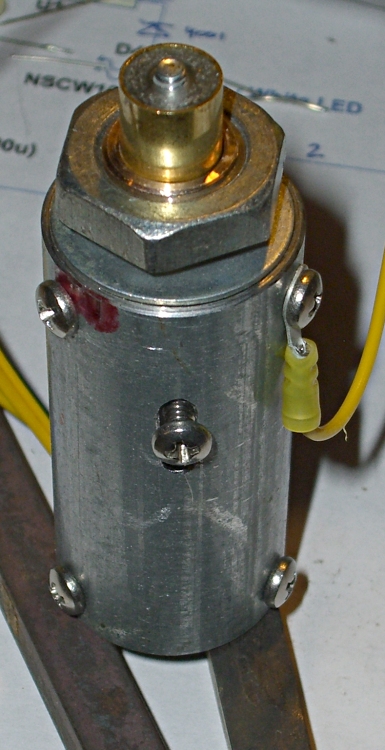
Finished charging pedestal
The charger I built turns the LED and charger power on with a push-to-activate digital encoder knob, so there’s no need for the 1 lb spring & switch found in the V-750 charger.
To read the dosimeter, just hold it loosely atop the pedestal, push the twiddle knob down, and the LED comes on.
To zero the dosimeter, press it firmly and twiddle the knob for zero!
I’ll describe the charger circuity at some point; it’s detailed in my Circuit Cellar column in the August 2009 issue.
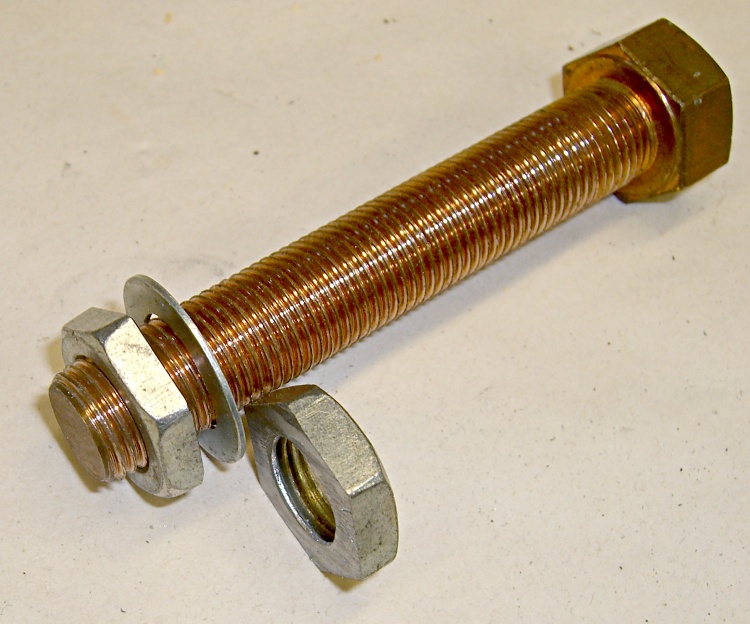
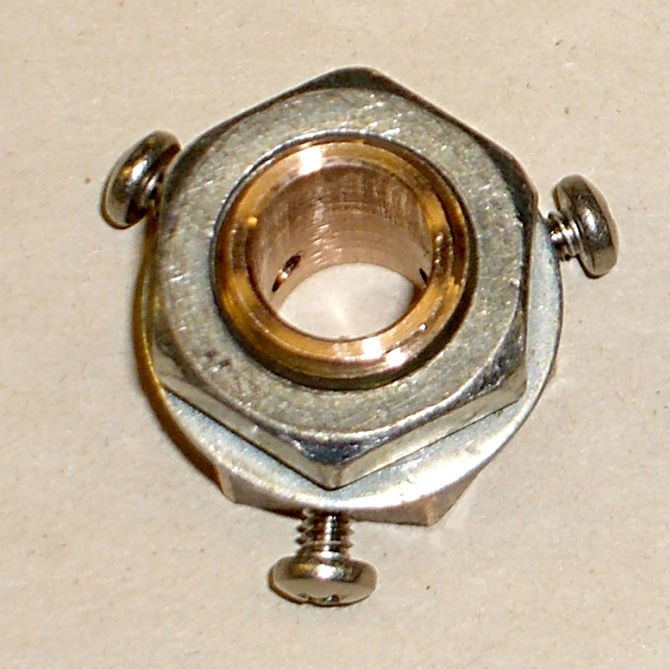
The original V-750 pedestal is a threaded bushing around the cylinder that contacts the dosimeter. Hard to make from scratch, but it’s basically a bolt with hole in the middle. I can do that…
A foray into the parts heap produced a copper bolt threaded 1/2″-20 and a matching steel nut. I bandsawed the nut in half, doing a surprisingly good job of cutting it parallel to the surfaces, and filed off the obvious blems. The thin washer fit a 7/16″ bolt until I filed the hole out; the OD is a bit undersized for a 1/2″ head and looks much better in this application.
I grabbed the bolt threads in the lathe and turned down the head for a slip fit in the EMT. Turns out the head wasn’t exactly concentric with the threads, but now the rounded-off hexagon tips are. Drill out the middle for a slip fit around the 11/32″ brass tubing, break the edges, and it’s all good.
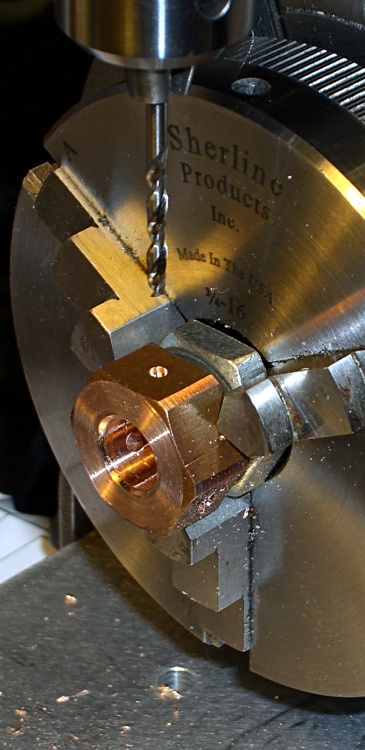
Drilling EMT mounting holes in bolt head
The bolt threads need to be barely long enough to go through the aluminum box I’ll eventually mount this thing in and pass through the nut, so I sawed the bolt off to 3/8″, more or less, and cleaned up the end in the lathe.
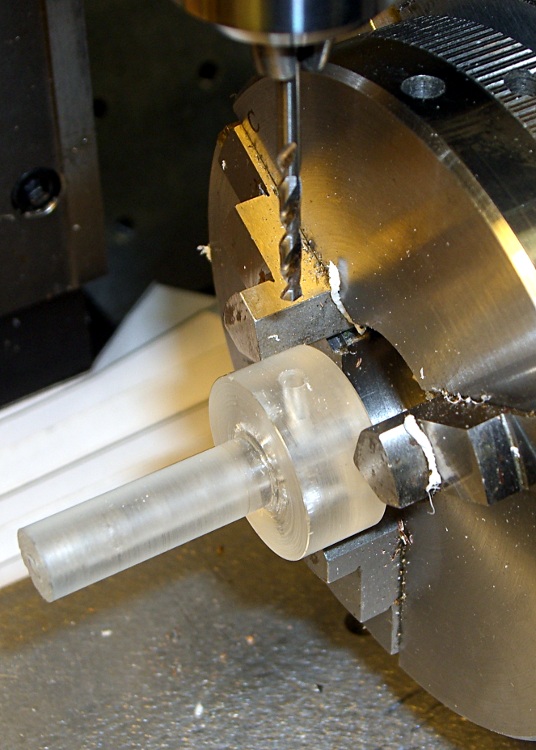
I thought about soldering the bolt to the EMT shell, but, fortunately, came to my senses before doing any damage. Instead, I drilled & tapped three 4-40 holes in the head that will match with similar clearance holes in the EMT. This is the sort of thing that works really well with “manual” CNC: get the first side lined up, then just type G0 A120 and you’re at the next face. A manual G83 peck drill cycle pokes the hole exactly where it’s needed.
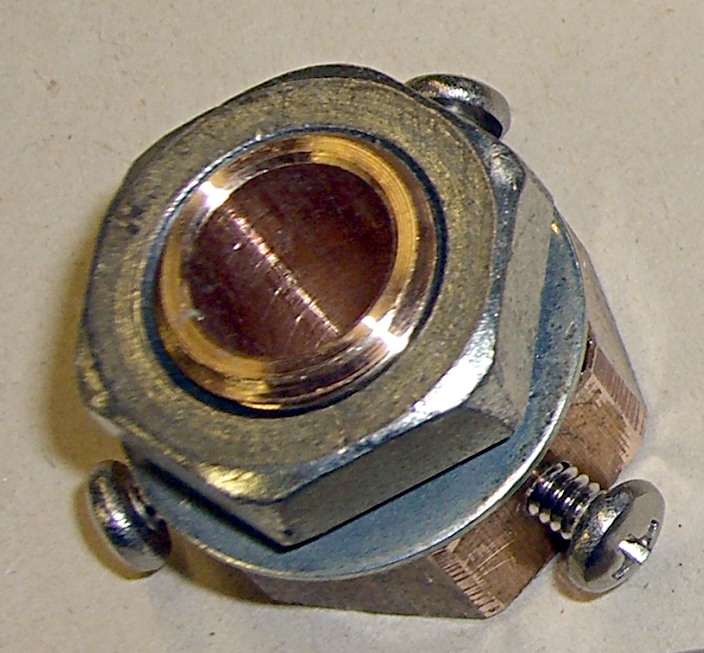
Manual tapping, a bit more edge breaking, some cleanup, and the thing looks pretty good.
Pedestal mount – oblique viewPedestal mount – top view
The cylindrical center of the pedestal must conduct light into the dosimeter, conduct a positive charge into the contact pin, and push that pin hard enough to make contact inside the dosimeter.
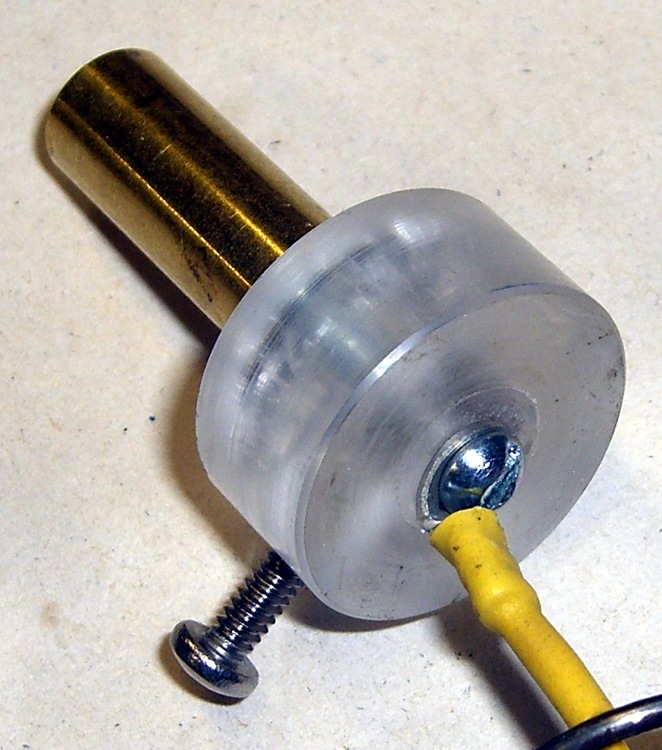
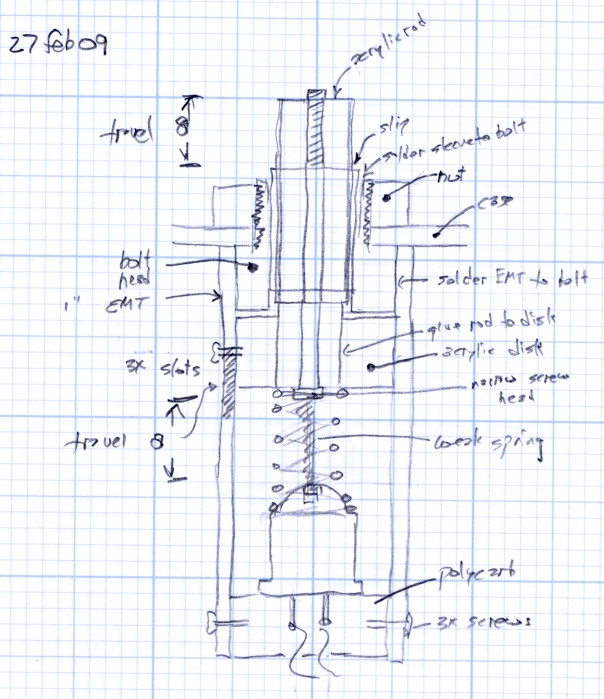
The general notion is to turn an acrylic rod to a slip fit inside an 11/32″ telescoping brass tube, glue a wider acrylic disk to the bottom to take up the spring pressure, and run a 4-40 machine screw right down the axis to carry the current. There’s also a screw in the side to prevent the shaft from rotating.
Although the bulk of screw and solderless lug looks like it should block much of the central shaft’s view of the LED in the base, enough light gets around to illuminate the dosimeter’s scale. The acrylic doesn’t need an optically perfect finish, either, as diffuse light works fine.
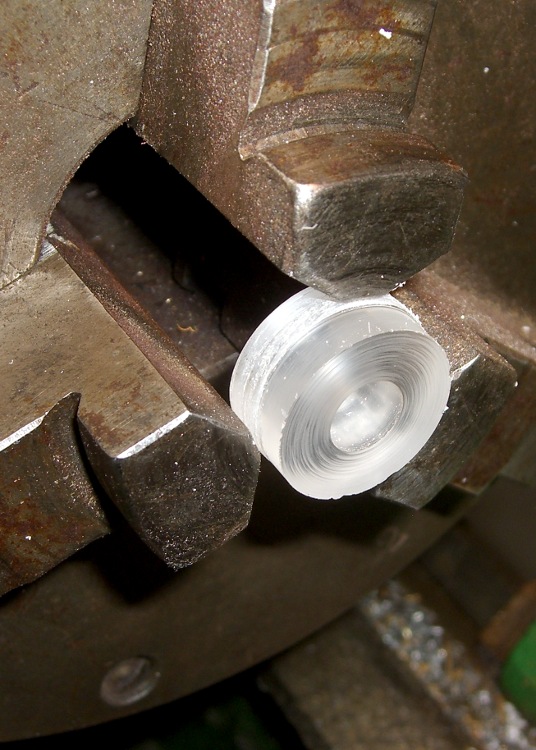
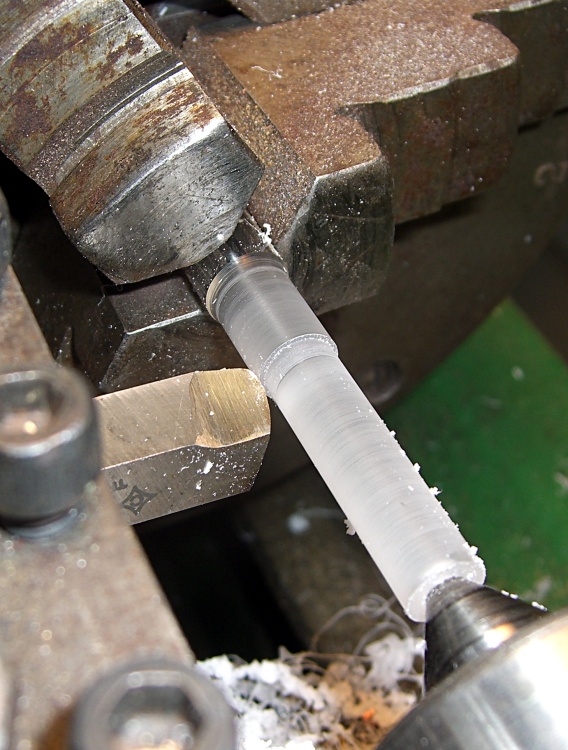
Turning contact base ringTurning central contact post
I used a hole saw to extract a disk from a piece of acrylic that used to contain one of those crappy desk clocks they give out as awards when money’s too tight to mention. The diameter should be a bit larger than the EMT’s ID so you can turn it to a slip fit.
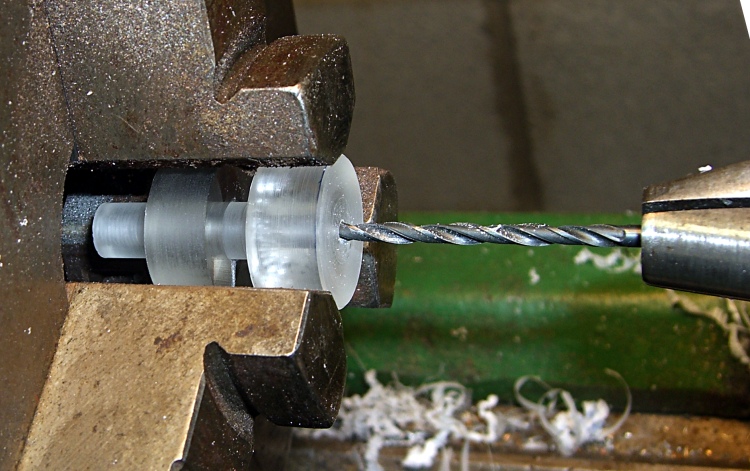
Chuck the disk up reasonably square and drill out the center to a bit over 11/32″, so the tubing will bear against the rod rather than the base.
The acrylic rod has two slip fits: into the brass tubing and into the disk. Neither will be particularly fussy, so don’t lose much sleep over perfection here. Apply some good solvent adhesive to the rod’s large end and slide it into the disk. Pause for a day while it cures: it’s a big joint.
After it’s cured, chuck up the rod and turn the disk so it’s nice & square & neatly finished.
You’ll need two more disks: one for the pedestal base and another to act as a collet. I made them from 3/8″ polycarbonate sheet, of which I have what may turn out to be a lifetime supply. The base disk will be another slip fit in the EMT, the collet must match the actual OD you just turned on the contact disk. Saw a slot in the collet disk to convert it into a (crude) collet.
Drilling 4-40 clearance hole
The original V-750 pedestal has a nice stamped rod running the length of the central post, but I figured a long 4-40 screw would work as well. However, there’s no reason to thread the entire length of the post, so drill out a 4-40 clearance hole from the disk to within about 1 cm of the other end. This is where the collet disk comes in handy; you can see the saw slit at the bottom, between two jaws.
Take the rod out out and thread the end.
Drilling rotation stop hole
The last step is drilling & tapping a 4-40 hole in the side for the rotation stop screw. This will fit into a corresponding slot in the EMT shell to prevent you from twisting the contact wire off.
Put everything together, with a dab of cyanoacrylate adhesive to keep the brass tubing in place, and you’re done with this part.
Although my V-750 dosimeter charger cleaned up reasonably well, I wanted to see if I could build a high-voltage supply from more-or-less contemporary parts to charge the dosimeters. The circuit is easy enough, but the charging pedestal that connects to the dosimeter turned into an interesting shop project.
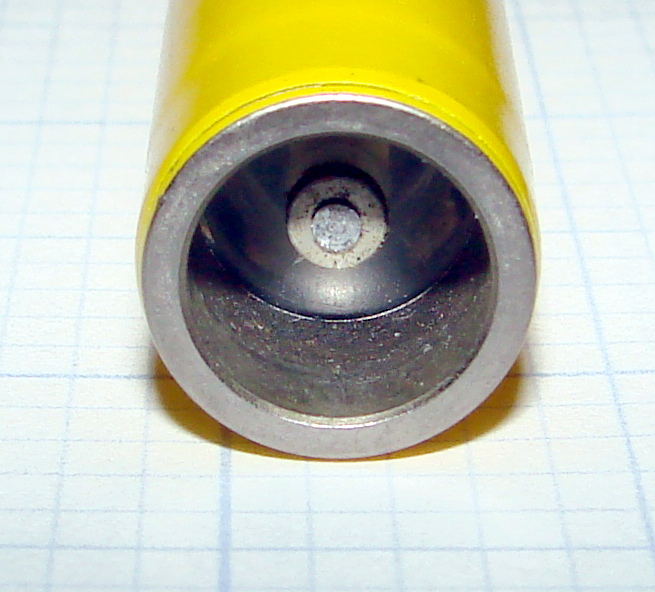
V-742 dosimeter charging contact
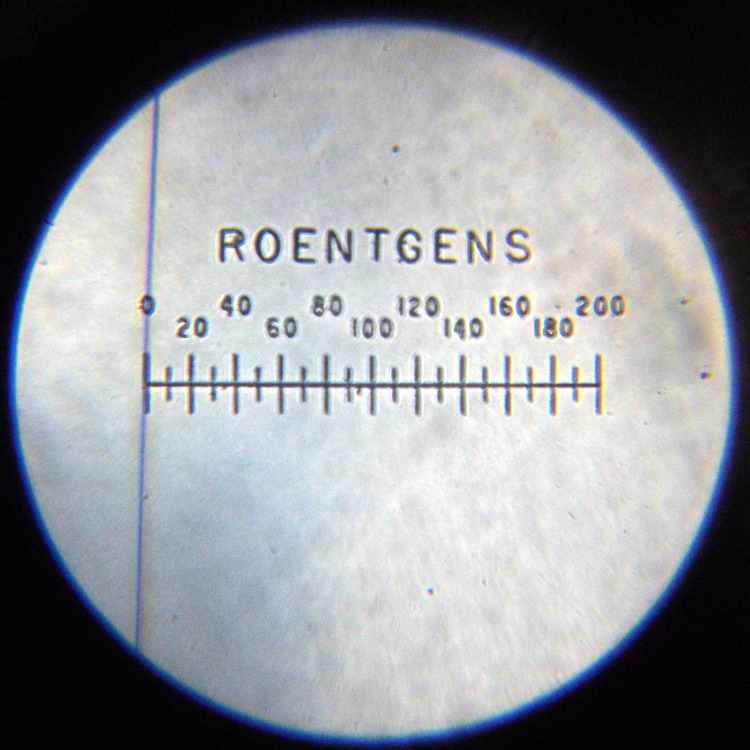
Pencil-style electrometer radiation dosimeters, like the V-742 shown here, have a charging contact pin embedded in a transparent plastic (?) end cap recessed in the bottom. Inside the dosimeter a mighty spring (or, perhaps, the plastic cap itself) holds the pin outward so that it does not make electrical contact with the gold-coated quartz fiber in normal use.
This baffled me at first, because I did not understand why the charge didn’t just leak off the fiber through the charging pin. In order to dump charge onto the fiber, you must first press the pin inward by about 1 mm against the internal spring: no pressure, no contact, no charge.
Duh…
The dosimeter’s innards must be kept scrupulously clean and full of dry air. After you pull the pin out to admire it, the dosimeter won’t hold a charge ever again. I yanked the pin out of a dosimeter that simply didn’t work and, after a bit of fiddling, the dosimeter can now be set to zero, but the charge leaks off in a matter of hours rather than days.
Charging contact pedestal
The V-750 charging pedestal has an outer sleeve (the negative contact) and a central pin (the positive contact) that fit neatly into the end of the dosimeter. The pin stands about 2 mm proud of the plastic insulator that pipes light into the dosimeter to illuminate the scale. The sleeve, insulator, and pin move as a single unit: the dosimeter presses them down into the V-750 against two stacked springs.
A 1-lb spring holds the insulator in place by pressing the whole cylinder outward against its shoulder. The charger turns on when the dosimeter reaches that spring’s limit of travel at about 1 mm, but it’s not firm enough to press the dosimeter pin into contact with the quartz fiber. That’s the position you use to read the dosimeter: the light is on, but the fiber won’t move yet.
In order to charge the fiber, the dosimeter must move down an additional 3 mm against an 8-lb leaf spring until it seats against the pedestal’s threaded shell. Holding the dosimeter steady against that pressure while twiddling the voltage knob to adjust the dosimeter fiber to the zero point of the scale is more challenging than you might expect: grab it in your fist and hold on tight. It’s a good idea to wear glasses, as the dosimeter optics provides maybe 5 mm worth of eye relief: you can easily poke yourself in the eye with the fool thing if your grip loosens.
So, basically, a new charging pedestal must include a shell that meets the dosimeter’s body and a central shaft consisting of a sliding outer sleeve, a transparent insulator, and a central pin. The shaft must be pushed against the dosimeter by a really stiff spring to close the charging contact.




 The Smell of Molten Projects in the Morning