Ed Nisley's Blog: Shop notes, electronics, firmware, machinery, 3D printing, laser cuttery, and curiosities. Contents: 100% human thinking, 0% AI slop.
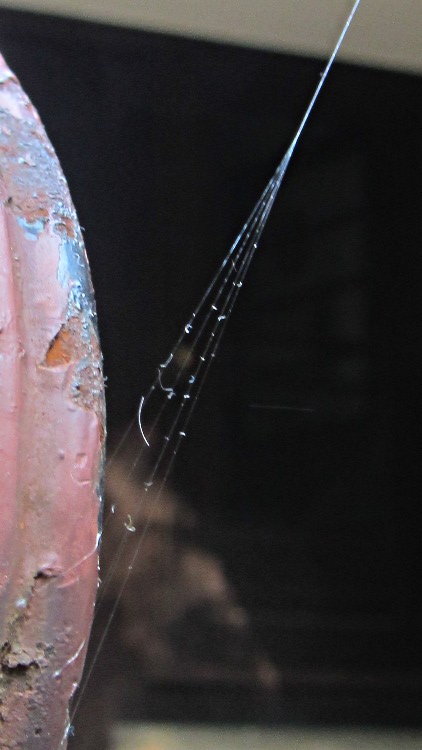
August was the month for giant orb weaving spiders; a pair of thumb-sized monsters took up residence under the gutter over the patio. One started by anchoring its web to the handrail by the steps:
Web anchor on handrail
While we like and encourage spiders, that anchorage didn’t last long and, yes, I must strip and repaint that railing…
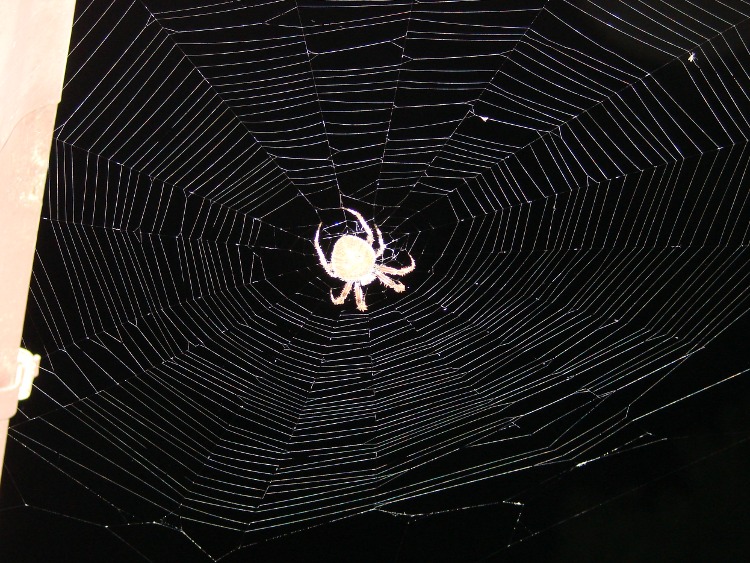
There’s a horizontal web at the corner of the gutter over the back door:
Orb spider at gutter – light
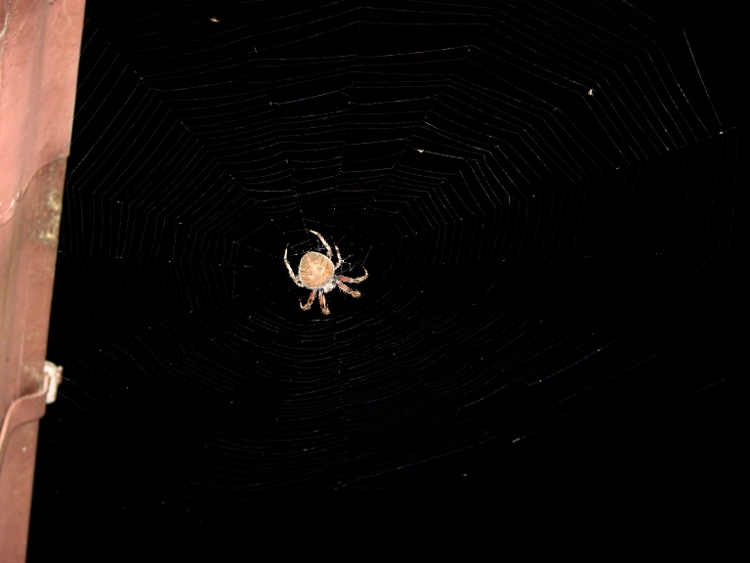
Changing the exposure to favor the spider loses the web strands:
Orb spider at gutter – dark
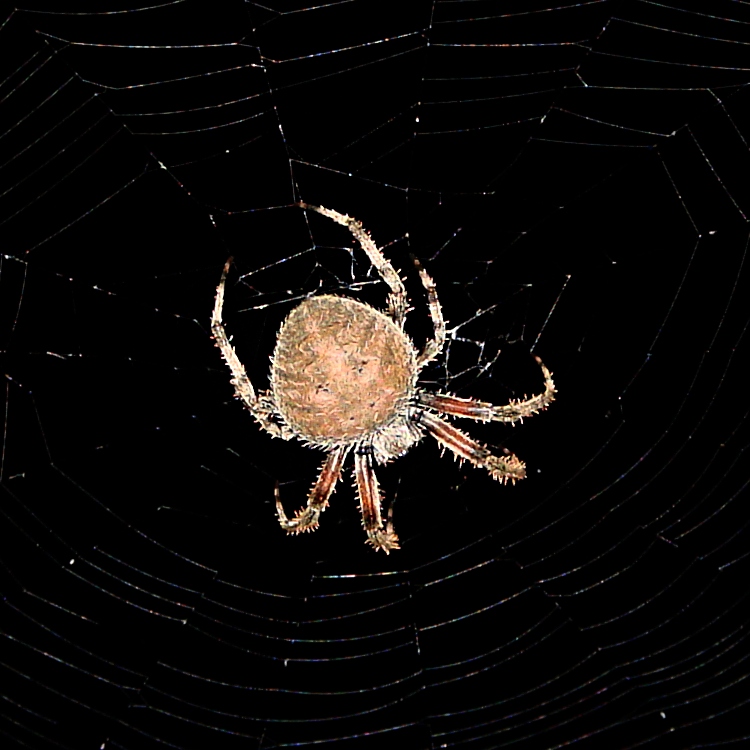
Cropping that one down around the spider shows they really are the stuff of nightmare:
Orb spider – detail
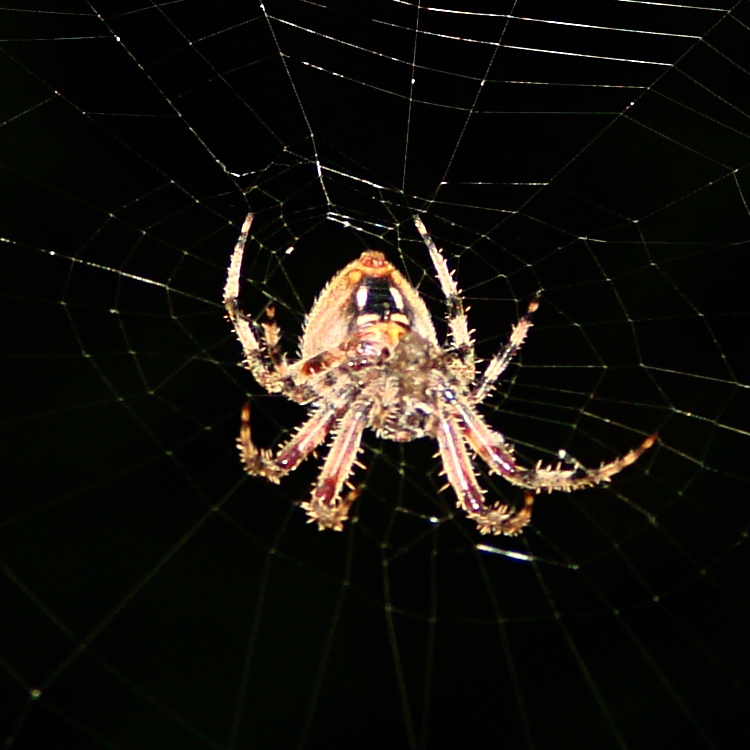
The other spider prefers a vertical web attached along the gutter and anchored to a patio chair, which means I can get between the house and the web to see the spider’s tummy:
Orb spider – ventral
We leave the lights on in the evening for their benefit…
Most of the dozen or so spam comments I delete every day consist of little more than gibberish. At best, a spam comment will have a poorly worded paragraph or two touting pharmaceuticals, handbags, shoes, or other junk, with absolutely no relation to the post. It’s easy to tell they’re generated by a script: keyword-heavy verbiage, bogus usernames, junk websites, and so forth and so on. Boring, is what they are.
The microphone and radio matching capabilities are terrific. Adjust the wide-range input level for optimum drive to the built-in microphone amplifier […]
Fluent, idiomatic English that started out pretty nearly on-point for the post! The rest of the comment sounded like advertising copy, though. Well written ad copy, but ad copy nonetheless. Feeding a representative chunk into Google produced a link to the description of the W2IHY Two-band Audio Equalizer on the Official Website.
Now, as it turns out, Julius lives up the river from here and I’ve met him several times. I also know he’s not spamming me, because the URL associated with the post points to some weird-ass Angola gold mining fraud that’s all too familiar from previous spammage. Oh, and the IP address resolves to a Tor server.
As I observed there, eventually the spammers will become bright enough to hold an intelligent conversation and then they’ll be provisionally human. Depending on what they want to talk about …
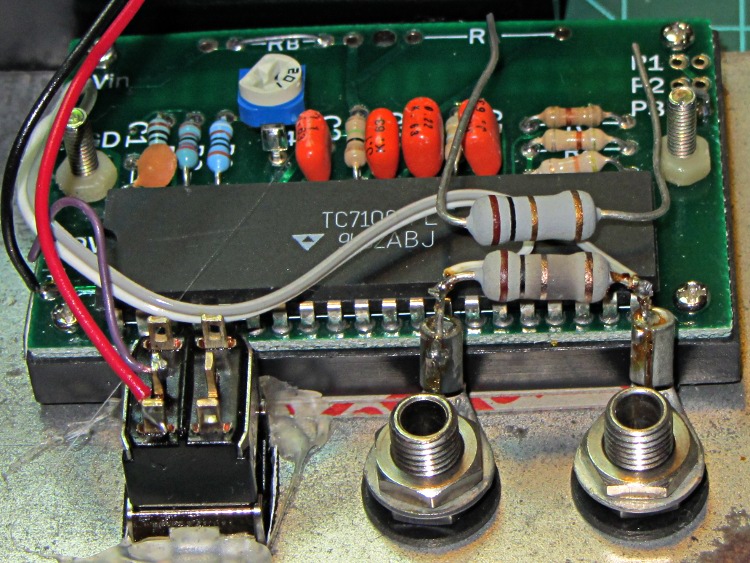
The bench supplies I use have current limiting, but the 10 mA meter resolution leaves a lot to be desired, so I conjured up a simpleminded 200 mA meter from a panel-mount meter and a 1 Ω sense resistor. That means it’s good for only 200 mA, so I insert it in series with the supply only when it’s needed. Lately it’s been reading more than a little bit high and I took it apart to find this obvious evidence of abuse:
Homebrew millammeter with burned sense resistor
The loose resistor sitting atop the chip shows what the burned resistor soldered in the circuit should look like.
The power supply has a 3 A current limit. No surprise: 9 W is more than the unfortunate 5 W resistor can handle.
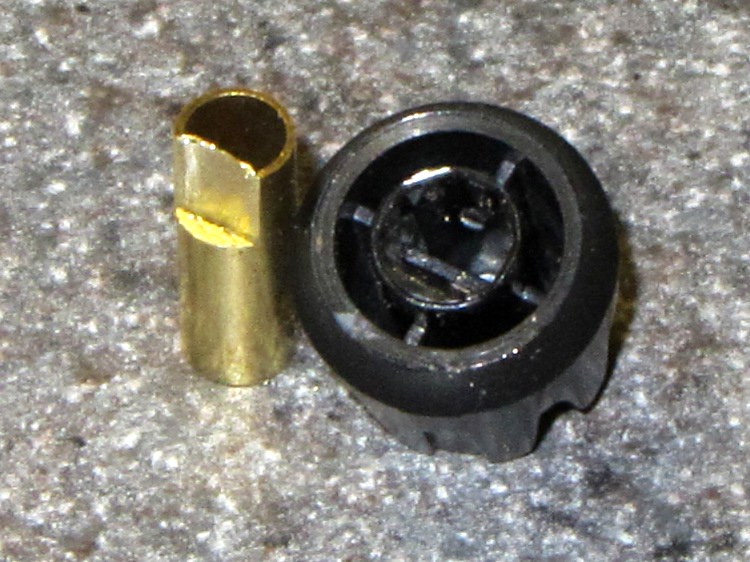
Clamp a cutoff chunk of 3/16 =0.1875 inch diameter brass tubing in the lathe and file down one side to put the flat 0.150 inch from the far side, so that the knob is a tight slip fit. If you happen to have some solid rod, that would work just as well. In this case, the file pushed the paper-thin brass remnant into the tubing and I didn’t bother to clean it out:
KG-UV3D knob with fixture
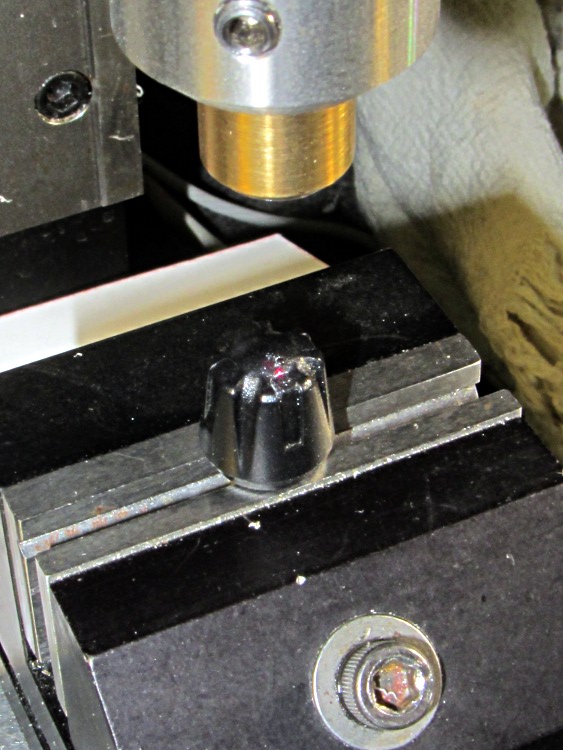
Clean the white glop off the knob, jam the knob on the fixture, clamp the fixture in the Sherline’s vise, use laser targeting to center the spindle on the notch adjacent to the minuscule pip on the knob:
Laser aligning to knob feature
Drill a 2 mm recess that en passant obliterates the pip:
Drilling index recess
Fill it with some light gray paint that just happens to be on the shelf:
Knob with filled index mark
And, by gosh, it really does dress up the radio! [grin]
Wouxun KG-UV3D with improved knob
While I had the Sherline set up, I did the knob for the other radio, too.
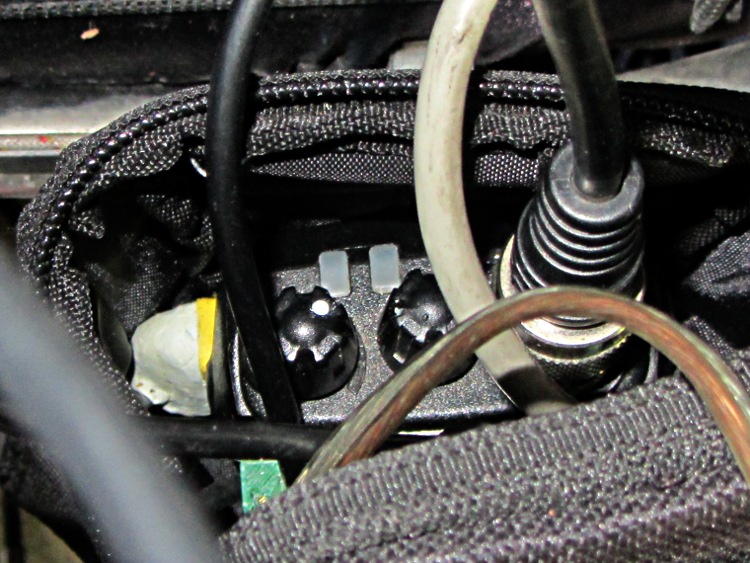
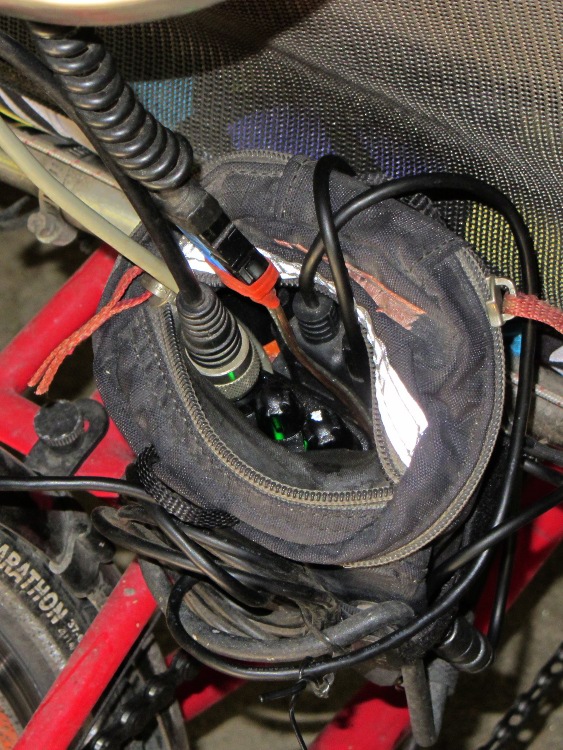
Both of the GPS+voice interfaces for the Wouxun KG-UV3D radios have been working fine for a while, so I should show the whole installation in all its gory detail.
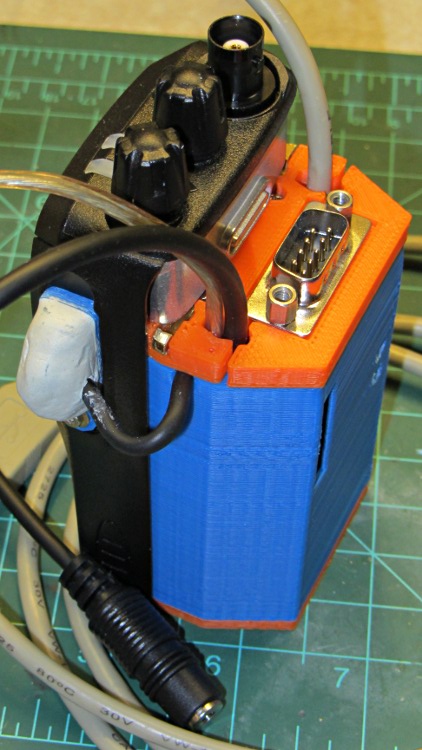
If you haven’t been following the story, the Big Idea boils down to an amateur radio HT wearing a backpack that replaces its battery, combines the audio output of a Byonics TinyTrak3+ GPS encoder with our voice audio for transmission, and routes received audio to an earbud. Setting the radios to the APRS standard frequency (144.39 MHz) routes our GPS position points to the global packet databaseand, with 100 Hz tone squelch, we can use the radios as tactical intercoms without listening to all much of the data traffic.
The local APRS network wizards approved our use of voice on the data channel, seeing as how we’re transmitting brief voice messages using low power through bad antennas from generally terrible locations. This wouldn’t work well in a dense urban environment with more APRS traffic; you’d need one of the newfangled radios that can switch frequencies for packet and voice transmissions.
So, with that in mind, making it work required a lot of parts…
The flat 5 A·h Li-ion battery pack on the rack provides power for the radio; it’s intended for a DVD player and has a 9 V output that’s a trifle hot for the Wouxun radios. Some Genuine Velcro self-adhesive strips hold the packs to the racks and have survived surprisingly well.
Just out of the picture to the left of the battery pack sits a Byonics GPS2 receiver puck atop a fender washer glued to the rack, with a black serial cable passing across the rack and down to the radio bag.
A dual-band mobile antenna screws into the homebrew mount attached to the upper seat rail with another circumferential clamp. It’s on the left side of the rail, just barely out of the way of our helmets, and, yes, the radiating section of the antenna sits too close to our heads. The overly long coax cable has its excess coiled and strapped to the front of the rack; I pretend that’s an inductor to choke RF off the shield braid. The cable terminates in a PL-259 UHF plug, with an adapter to the radio’s reverse-polarity SMA socket.
The push-to-talk button on the left handgrip isn’t quite visible in the picture. That cable runs down the handlebar, along the upper frame tube, under the seat, and emerges just in front of the radio bag, where it terminates in a 3.5 mm audio plug.
The white USB cable from the helmet carries the boom mic and earbud audio over the top of the seat, knots around the top frame bar, and continues down to the radio. USB cables aren’t intended for this service and fail every few years, but they’re cheap and work well enough. The USB connector separates easily, which prevents us from being firmly secured to a dropped bike during a crash. I’d like much more supple cables, a trait that’s simply not in the USB cable repertoire. This is not a digital USB connection: I’m just using a cheap & readily available cable.
I long ago lost track of the number of Quality Shop Time hours devoted to all this, which may be the whole point…
In other news, the 3D-printed fairing mounts, blinky light mounts, and helmet mirror mounts continue to work fine; I’m absurdly proud of the mirrors. Mary likes her colorful homebrew seat cover that replaced a worn-out black OEM cover for a minute fraction of the price.
My buddy Duggles, from far-off NH, restored his ’83 Vanagon to its original hippie-chick-magnet state. Late in the process, he realized that the once-fancy CD+radio widget in the dashboard lacked a line input for his iPod / iPad / iDingus. Knowing my foibles, he asked for advice.
Fortunately, he’d already discovered the service manual, without which life is always much more difficult. Search for PIONEER DEH2850MP SERVICE MANUAL and pick the site you prefer.
The trouble with jamming a new line input into the existing circuitry is that you must match the DC levels as well as the audio amplitude. The schematic on page 19 shows the selector IC has capacitor-coupled inputs and outputs to strip off the DC level.
It would be very easy if the multiplexer (IC151, top of page 19, detail shown) had separate control inputs that we could override, but it uses a serial control stream from the CPU. No practical way to mess with that, alas.
As nearly as I can tell, the best way to do this would be to hack a DPDT switch between the FM/AM tuner and the amp, upstream of the mux. You pick the Radio input, flip the DPDT switch, and the iDingus plays through the Radio inputs.
However, an easier way is to simply inject the iDingus audio in parallel with the tuner audio, but set the tuner to an FM frequency without a radio station. The radio output should mute, leaving the field clear for the iDingus audio. This might not work, but it’ll be dead simple to try. If it’s acceptable, then you’re done.
The obvious problem is that we don’t know if the iDingus line level matches the tuner’s line level. The mux is upstream of the volume settings, so there’s hope that this will all Just Work. If it’s way too loud, that’s fixable. If it’s too soft, that’s a problem.
So, to begin…
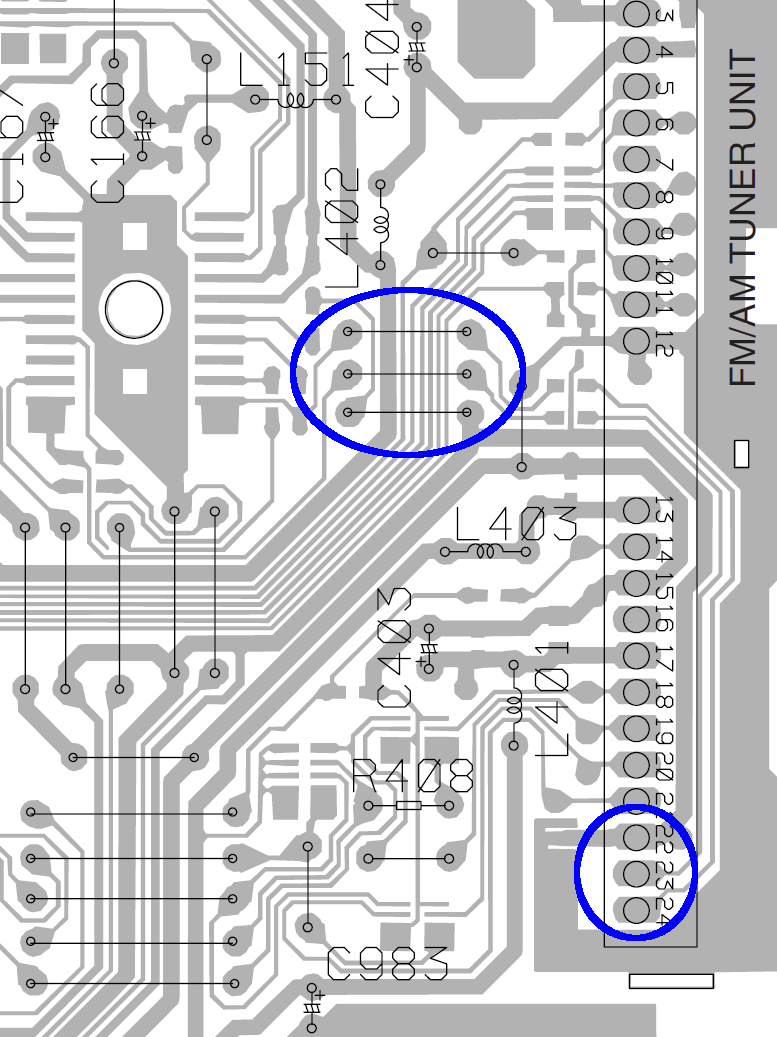
DEH2850MP PCB Radio Jumpers
The diagram on page 36/37 shows the A side of the PCB, with all the connectors & suchlike. The FM/AM Tuner Unit is over along the right side, with the audio output on pins 23/24 near the bottom and ground on pin 22. The traces proceed upward along the edge of the PCB, cross the connector near its middle, the audio passes through caps C151/152 on the B side, go through two jumpers on the A side across a mess of traces, and then dive to the B side and wriggle into the IC151 mux.
Quite conveniently, the ground trace follows along with them and is the lower of the three traces just to the right of the mux.
If I interpret the part number for C151 correctly (page 45, top right):
C 151 ... CKSRYB224K10
it’s a 220 nF cap. Anything around that value should work. This one from Radio Shack is grossly overpriced; anything with the same or larger value is OK (voltage rating doesn’t matter): NTE MLR224K100 – 0.22MF 100V Mylar Capacitor
Solder one lead of each cap to the top two jumpers, solder suitable wires to the other cap leads, solder the ground / shield wire to the bottom jumper, solder a suitable jack to the cable, plug iDingus into jack, fire that mother up, and see what happens.
The right channel is on pin 24, which goes to the top jumper of the three. Don’t bother trying to figure out which pin of the iDingus corresponds to that channel; just solder the damn wires and fix it later if it’s wrong enough to be objectionable.
I have no idea where or if you can drill hole(s) to snake the cable(s) through the housing. If the Vanagon doesn’t have a rear power amp, you could probably cut the traces under those RCA jacks (CN352, top right on page 37, above the FM/AM tuner) and repurpose them.
Give it a go…
We both attended Lehigh U, but Duggles realized early on that he lacked the personality flaws common to engineers and bailed out before damaging himself too badly. So his reply didn’t surprise me in the least…
I read your instructions carefully, examined the kindly supplied circuit diagram, and pored over the circuit boards with a magnifier. Then I blew you off (!!), threw caution to the winds, hacked off an old headphone cord, snaked the wires in, and soldered right to the very convenient L/R outputs on the RF board. Fired it up ,,, shitz, tons of background hiss, no quieting on the FM signal! A skein of obscenities was loosed in the mountain air until I thought to turn the iThang on … boom, full quieting, no hiss, and a quite substantial sound. No level issues at all, quite clean and detailed, and I didn’t even use the capacitors! (What was their purpose btw?)
The mux has a DC bias on its signal lines, with caps on both the input and output to isolate it from the surrounding circuitry. Back in the day, analog switches were fussy about their DC bias, so you had to go overboard to make them work at all.
I don’t know if the iDingus also has DC blocking caps on its output and figured that injecting raw DC from the mux into its guts could be a Bad Thing. But, eh, those engineers at Apple (‘s contractor) are smart folks and (probably) anticipated this sort of (mis)behavior.
The hiss you get with the iDingus turned off probably comes from dragging the mux bias to ground. I don’t know that’s a Truly Bad Thing, but adding those caps should eliminate any future problems.
You could even play DJ by combining radio & iDingus audio!
Rock on…
Seeing as how Duggles actually was a DJ for quite some years, I wouldn’t be surprised in the least to hear he does exactly that. We’ll be visiting him later this Autumn and I’ll inspect his work.






 The Smell of Molten Projects in the Morning