
Running more grayscale images through the cookie cutter process revealed some problems and solutions…
It seems OpenSCAD (or the underlying CGAL library) chokes while creating a 3D surface from a bitmap image more than about 350-ish pixels square: it gradually blots up all available memory, fills the entire swap file, then crashes after a memory allocation failure. As you might expect, system response time rises exponentially and, when the crash finally occurs, everything else resides in the swap file. The only workaround seems to be keeping the image under about 330-ish pixels. That’s on a Xubuntu 12.04 box with 4 GB of memory and an 8 GB swap partition.
So I applied 2.5 pixel/mm scaling factor to images intended for a 5 inch build platform:
317 pixel = (5 inch × 25.4 mm/inch) * 2.5 pixel/mm
Any reasonable scaling will work. For smaller objects or platforms, use 3 pixel/mm or maybe more. If you have a larger build platform, scale accordingly. I baked the default 2.5 factor into the Bash script below, but changing it in that one spot will do the trick. Remember that you’re dealing with a 0.5 mm extrusion thread and the corresponding 1 mm minimum feature size, so the ultimate object resolution isn’t all that great.
Tomorrow I’ll go through an image preparation checklist. However, given a suitable grayscale height map image as shown above, the rest happens automagically:
./MakeCutter.sh filename.png
That process required some tweakage, too …

Auto-cropping the image may leave empty borders: the canvas remains at the original size with the cropped image floating inside. Adding +repage to the convert command shrinkwraps the canvas around the cropped image.
If the JPG file of the original scanned image has an embedded comment (Created by The GIMP, for example), then so will the PNG file and so will the ASCII PGM files, much to my astonishment and dismay. The comment line (# Created by The GIMP) screwed up my simplistic assumption about the file’s header four-line header layout. The +set Comment squelches the comment; note that the word Comment is a keyword for the set option, not a placeholder for an actual comment.
It turns out that OpenSCAD can export STL files that give it heartburn when subsequently imported, so I now process the height map and outline images in the same OpenSCAD program, without writing / reading intermediate files. That requires passing all three image dimensions into the program building the cutter and press, which previously depended on the two incoming STL files for proper sizing. This seems much cleaner.
The original program nested the cookie press inside the cutter on the build platform as a single STL file, but it turns out that for large cutters you really need a T-shaped cap to stabilize the thin plastic shape; the press won’t fit inside. The new version produces two separate STL files: one for the press and one for the cutter, in two separate invocations. The command-line options sort everything out on the fly.
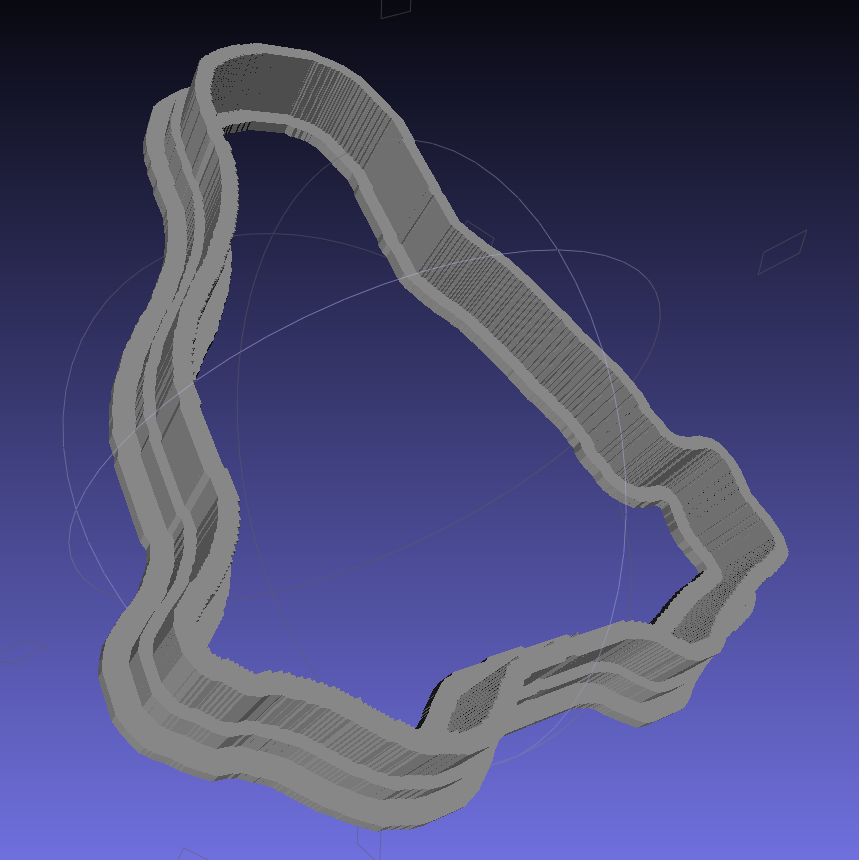
Because the cutter lip extends outward from the press by about 6 mm, you must size the press to keep the cutter completely on the build platform. The 5 inch outline described above produces a cutter that barely fits on a 5.5 inch platform; feel free to scale everything as needed for your printer.
The time commands show that generating the press goes fairly quickly, perhaps 5 to 10 minutes on a 3 GHz Core 2 Duo 8400. The multiple Minkowski operations required for the cutter, however, run a bit over an hour on that machine. OpenSCAD saturates one CPU core, leaving the other for everything else, but I wound up getting a cheap off-lease Dell Optiplex 760 as a headless graphics rendering box because it runs rings around my obsolete Pentium D desktop box.
The MakeCutter.sh Bash script controlling the whole show:
#!/bin/bash
DotsPerMM=2.5
MapHeight=5
ImageName="${1%%.*}"
rm ${ImageName}_* ${ImageName}-press.stl ${ImageName}-cutter.stl
echo Normalize and prepare grayscale image...
convert $1 -type Grayscale -depth 8 -auto-level -trim +repage -flip -flop -negate +set Comment ${ImageName}_prep.png
echo Create PGM files...
convert ${ImageName}_prep.png -compress none ${ImageName}_map.pgm
convert ${ImageName}_prep.png -white-threshold 1 -compress none ${ImageName}_plate.pgm
echo Create height map data files...
ImageX=`identify -format '%[fx:w]' ${ImageName}_map.pgm`
ImageY=`identify -format '%[fx:h]' ${ImageName}_map.pgm`
echo Width: ${ImageX} x Height: ${ImageY}
cat ${ImageName}_map.pgm | tr -s ' \012' '\012' | tail -n +5 | column -x -c $((8*$ImageX)) > ${ImageName}_map.dat
cat ${ImageName}_plate.pgm | tr -s ' \012' '\012' | tail -n +5 | column -x -c $((8*$ImageX)) > ${ImageName}_plate.dat
echo Create cookie press...
time openscad -D BuildPress=true \
-D fnPlate=\"${ImageName}_plate.dat\" \
-D fnMap=\"${ImageName}_map.dat\" -D Height=$MapHeight \
-D ImageX=$ImageX -D ImageY=$ImageY -D DotsPerMM=$DotsPerMM \
-o ${ImageName}-press.stl Cookie\ Cutter.scad
echo Create cookie cutter...
time openscad -D BuildCutter=true \
-D fnPlate=\"${ImageName}_plate.dat\" \
-D ImageX=$ImageX -D ImageY=$ImageY -D DotsPerMM=$DotsPerMM \
-o ${ImageName}-cutter.stl Cookie\ Cutter.scad
The Cookie Cutter.scad OpenSCAD source code:
// Cookie cutter from grayscale height map using Minkowski sum
// Ed Nisley KE4ZNU - November 2012

//-----------------
// Cookie cutter files

BuildPress = false;						// override with -D Buildxxx=true
BuildCutter = false;

fnMap = "no_map.dat";					// override with -D 'fnMap="whatever.dat"'
fnPlate = "no_plate.dat";				// override with -D 'fnPlate="whatever.dat"'

DotsPerMM = 2.5;						// overrride with -D DotsPerMM=number

MapHeight = 5.0;						// overrride with -D MapHeight=number

ImageX = 10;							// overrride with -D ImageX=whatever
ImageY = 10;

MapScaleXYZ = [1/DotsPerMM,1/DotsPerMM,MapHeight/255];
PlateScaleXYZ = [1/DotsPerMM,1/DotsPerMM,1.0];

echo("Press File: ",fnMap);
echo("Plate File: ",fnPlate);

echo("ImageX:",ImageX," ImageY: ", ImageY);
echo("Map Height: ",MapHeight);
echo("Dots/mm: ",DotsPerMM);
echo("Scale Map: ",MapScaleXYZ,"  Plate: ",PlateScaleXYZ);

//- Extrusion parameters - must match reality!

ThreadThick = 0.25;
ThreadWidth = 2.0 * ThreadThick;

//- Cookie cutter parameters

TipHeight = IntegerMultiple(8.0,ThreadThick);		// cutting edge
TipWidth = 5*ThreadWidth;

WallHeight = IntegerMultiple(4.0,ThreadThick);		// center section
WallWidth = IntegerMultiple(4.0,ThreadWidth);

LipHeight = IntegerMultiple(2.0,ThreadThick);		// cutter handle
LipWidth = IntegerMultiple(3.0,ThreadWidth);

PlateThick = IntegerMultiple(4.0,ThreadThick);	// solid plate under press relief

//- Useful info

function IntegerMultiple(Size,Unit) = Unit * ceil(Size / Unit);

Protrusion = 0.1;						// make holes & unions work correctly

MaxConvexity = 5;						// used for F5 previews in OpenSCAD GUI

ZFuzz = 0.2;							// numeric chaff just above height map Z=0 plane

//-----------------
// Import plate height map, slice off a slab to define outline

module Slab(Thick=1.0) {
	intersection() {
		translate([0,0,Thick/2])
			cube([2*ImageX,2*ImageY,Thick],center=true);
		scale(PlateScaleXYZ)
			difference() {
				translate([0,0,-ZFuzz])
					surface(fnPlate,center=true,convexity=MaxConvexity);
				translate([0,0,-1])
					cube([2*ImageX,2*ImageY,2],center=true);
			}
	}
}

//- Put peg grid on build surface

module ShowPegGrid(Space = 10.0,Size = 1.0) {

	Range = floor(50 / Space);

	for (x=[-Range:Range])
	  for (y=[-Range:Range])
		translate([x*Space,y*Space,Size/2])
			%cube(Size,center=true);
}

//- Build it

//ShowPegGrid();

if (BuildPress) {
	echo("Building press");
	union() {
		Slab(PlateThick + Protrusion);
		translate([0,0,PlateThick])							// cookie press height map
			scale(MapScaleXYZ)
			difference() {
				translate([0,0,-ZFuzz])
					surface(fnMap,center=true,convexity=MaxConvexity);
				translate([0,0,-1])
					cube([2*ImageX,2*ImageY,2],center=true);
			}
	}
}

if (BuildCutter) {
	echo("Building cutter");
	union() {
		difference() {
			union() {										// stack cutter layers
				translate([0,0,(WallHeight + LipHeight - 1)])
					minkowski() {
						Slab(TipHeight);
						cylinder(r=TipWidth,h=1);
					}
				translate([0,0,LipHeight - 1])
					minkowski() {
						Slab(WallHeight);
						cylinder(r=WallWidth,h=1);
					}
			}
			translate([0,0,-1])								// punch central hole for plate
				Slab(TipHeight + WallHeight + LipHeight + 2);
		}
		minkowski() {										// put lip around base
			difference() {
				minkowski() {
					Slab(LipHeight/3);
					cylinder(r=WallWidth,h=LipHeight/3);
				}
				translate([0,0,-2*LipHeight])
					Slab(4*LipHeight);
			}
			cylinder(r=LipWidth,h=LipHeight/3);
		}
	}
}
And then it Just Works…
 The Smell of Molten Projects in the Morning