Ed Nisley's Blog: Shop notes, electronics, firmware, machinery, 3D printing, laser cuttery, and curiosities. Contents: 100% human thinking, 0% AI slop.
The Great Green, one of my better IBM managers, used the ratios of key numbers to quickly evaluate proposals. Conversely, if a proposal didn’t have any key numbers, he knew the author was blowing smoke.
He attended a school budget meeting many years ago, wherein someone kvetched about the cost of and need for a semitrailer of paper every year. He estimated the number of sheets, divided by the number of students, then divided by the number of days in a school year. The answer came out to about one sheet of paper per student per day, which seemed like a perfectly reasonable number to him…
This is a stick in the ground for the current config files I’m using with EMC 2.4.5. Even the automagically generated files may have some tweakage, which is why I’m putting them here…
[Update: this is for a Dell Dimension 4550 with a latency around 10 µs, occasional glitches to 20 µs, and a very rare burp to 80 µs. Worked fine, but those rare burps were disturbing.]
# Include your customized HAL commands here
# This file will not be overwritten when you run stepconf again

#--------------
# Get buttons and joysticks from Logitech Dual Action gamepad

loadusr -W hal_input -KA Dual

#--------------
# Home switches are all in parallel, active low

net homeswitches <= parport.0.pin-10-in-not
net homeswitches => axis.0.home-sw-in
net homeswitches => axis.1.home-sw-in
net homeswitches => axis.2.home-sw-in

#--------------
# Probe input is active low

net probe-in <== parport.0.pin-15-in-not
net probe-in ==> motion.probe-input
custom_postgui.hal
#-- empty
Logitech_Gamepad.hal
# HAL config file automatically generated by Eagle-CAD ULP:
# [/mnt/bulkdata/Project Files/eagle/ulp/hal-write-array.ulp]
# (C) Martin Schoeneck.de 2008
# Mods Ed Nisley 2010
# Path        [/mnt/bulkdata/Project Files/eagle/projects/EMC2 HAL Configuration/]
# ProjectName [Logitech Gamepad]
# File name   [/mnt/bulkdata/Project Files/eagle/projects/EMC2 HAL Configuration/Logitech_Gamepad.hal]
# Created     [11:51:27 10-Nov-2010]

####################################################
# Load realtime and userspace modules
loadrt constant		count=16
loadrt and2		count=17
loadrt flipflop		count=4
loadrt mux2		count=5
loadrt mux4		count=1
loadrt not		count=8
loadrt or2		count=10
loadrt scale		count=7
loadrt timedelay		count=1
loadrt toggle		count=1
loadrt wcomp		count=6

####################################################
# Hook functions into threads
addf toggle.0		servo-thread
addf wcomp.1		servo-thread
addf wcomp.2		servo-thread
addf wcomp.3		servo-thread
addf and2.0		servo-thread
addf and2.4		servo-thread
addf and2.3		servo-thread
addf and2.2		servo-thread
addf and2.1		servo-thread
addf constant.6		servo-thread
addf constant.5		servo-thread
addf constant.4		servo-thread
addf constant.3		servo-thread
addf constant.2		servo-thread
addf constant.1		servo-thread
addf constant.0		servo-thread
addf constant.7		servo-thread
addf constant.8		servo-thread
addf scale.1		servo-thread
addf scale.2		servo-thread
addf scale.3		servo-thread
addf mux4.0		servo-thread
addf mux2.0		servo-thread
addf scale.4		servo-thread
addf scale.0		servo-thread
addf wcomp.5		servo-thread
addf wcomp.4		servo-thread
addf wcomp.0		servo-thread
addf flipflop.1		servo-thread
addf flipflop.0		servo-thread
addf and2.5		servo-thread
addf and2.6		servo-thread
addf and2.7		servo-thread
addf and2.8		servo-thread
addf flipflop.2		servo-thread
addf flipflop.3		servo-thread
addf or2.4		servo-thread
addf or2.8		servo-thread
addf or2.7		servo-thread
addf or2.6		servo-thread
addf or2.5		servo-thread
addf or2.3		servo-thread
addf or2.2		servo-thread
addf or2.1		servo-thread
addf or2.0		servo-thread
addf not.1		servo-thread
addf not.2		servo-thread
addf not.3		servo-thread
addf not.4		servo-thread
addf not.5		servo-thread
addf not.6		servo-thread
addf not.7		servo-thread
addf not.0		servo-thread
addf constant.9		servo-thread
addf mux2.1		servo-thread
addf mux2.2		servo-thread
addf mux2.3		servo-thread
addf mux2.4		servo-thread
addf constant.10		servo-thread
addf constant.11		servo-thread
addf scale.5		servo-thread
addf scale.6		servo-thread
addf constant.12		servo-thread
addf constant.13		servo-thread
addf timedelay.0		servo-thread
addf constant.14		servo-thread
addf constant.15		servo-thread
addf and2.16		servo-thread
addf and2.15		servo-thread
addf and2.14		servo-thread
addf and2.13		servo-thread
addf and2.12		servo-thread
addf and2.11		servo-thread
addf and2.10		servo-thread
addf and2.9		servo-thread
addf or2.9		servo-thread

####################################################
# Set parameters

####################################################
# Set constants
setp constant.0.value	+0.02
setp constant.1.value	-0.02
setp constant.2.value	60
setp constant.3.value	1.00
setp constant.4.value	0.10
setp constant.5.value	0.50
setp constant.6.value	0.10
setp constant.7.value	+0.5
setp constant.8.value	-0.5
setp constant.9.value	0.0
setp constant.10.value	[TRAJ]MAX_LINEAR_VELOCITY
setp constant.11.value	[TRAJ]MAX_ANGULAR_VELOCITY
setp constant.12.value	-1.0
setp constant.13.value	0.1
setp constant.14.value	0.020
setp constant.15.value	0.000

####################################################
# Connect Modules with nets
net a-button-minus input.0.btn-trigger or2.2.in0 and2.15.in0
net a-button-plus input.0.btn-thumb2 or2.2.in1 and2.16.in0
net a-buttons-active or2.2.out or2.3.in0 or2.4.in1
net a-disable not.7.out and2.5.in1
net a-enable or2.4.in0 flipflop.3.out not.7.in mux2.4.sel
net a-jog wcomp.2.in input.0.abs-z-position mux2.4.in1
net a-knob-active not.2.out and2.7.in1
net a-knob-inactive wcomp.2.out not.2.in and2.6.in1
net a-select and2.8.in0 and2.7.out
net a-set flipflop.3.set and2.8.out
net angular_motion or2.4.out mux2.0.sel
net any-buttons-active mux4.0.sel0 or2.8.out
net az-buttons-active or2.3.out or2.8.in1 or2.9.in0
net az-reset flipflop.2.reset and2.6.out flipflop.3.reset
net button-crawl scale.4.out mux4.0.in3
net button-fast scale.2.out mux4.0.in1 scale.4.in
net jog-crawl toggle.0.out mux4.0.sel1
net jog-speed halui.jog-speed mux4.0.out
net knob-crawl mux4.0.in2 scale.3.out
net knob-fast mux4.0.in0 scale.1.out scale.3.in
net n_1 constant.10.out mux2.0.in0
net n_2 and2.0.in0 input.0.btn-top2
net n_3 and2.0.in1 input.0.btn-base
net n_4 and2.0.out halui.abort
net n_5 halui.mode.manual input.0.btn-base3
net n_6 wcomp.0.max wcomp.1.max wcomp.2.max wcomp.3.max constant.0.out
net n_7 halui.program.resume input.0.btn-base4
net n_8 wcomp.0.min wcomp.1.min wcomp.2.min wcomp.3.min constant.1.out
net n_9 mux2.0.in1 constant.11.out
net n_10 constant.12.out scale.5.gain scale.6.gain
net n_11 input.0.btn-base5 or2.0.in0
net n_12 input.0.btn-base6 or2.0.in1
net n_13 constant.9.out mux2.1.in0 mux2.2.in0 mux2.3.in0 mux2.4.in0
net n_14 mux2.1.out halui.jog.0.analog
net n_15 toggle.0.in or2.0.out
net n_16 constant.2.out scale.0.gain
net n_17 constant.5.out scale.1.gain
net n_18 constant.3.out scale.2.gain
net n_19 constant.4.out scale.3.gain
net n_20 scale.4.gain constant.6.out
net n_21 halui.jog.1.analog mux2.2.out
net n_22 mux2.2.in1 scale.5.out
net n_23 scale.6.out mux2.3.in1
net n_24 constant.13.out halui.jog-deadband
net n_25 wcomp.4.max constant.7.out wcomp.5.max
net n_26 constant.8.out wcomp.4.min wcomp.5.min
net n_27 mux2.3.out halui.jog.2.analog
net n_28 halui.jog.3.analog mux2.4.out
net n_29 timedelay.0.out and2.9.in1 and2.10.in1 and2.12.in1 and2.11.in1 and2.13.in1 and2.14.in1 and2.16.in1 and2.15.in1
net n_30 and2.9.out halui.jog.0.minus
net n_31 or2.9.out timedelay.0.in
net n_32 constant.14.out timedelay.0.on-delay
net n_33 constant.15.out timedelay.0.off-delay
net n_34 and2.10.out halui.jog.0.plus
net n_35 and2.11.out halui.jog.1.minus
net n_36 halui.jog.1.plus and2.12.out
net n_37 and2.13.out halui.jog.2.minus
net n_38 and2.14.out halui.jog.2.plus
net n_39 and2.15.out halui.jog.3.minus
net n_40 and2.16.out halui.jog.3.plus
net vel-per-minute scale.0.out scale.1.in scale.2.in
net vel-per-second mux2.0.out scale.0.in
net x-buttons-active or2.7.in0 or2.5.out
net x-disable not.4.out and2.4.in1
net x-enable not.4.in flipflop.0.out mux2.1.sel
net x-hat-jog wcomp.4.in input.0.abs-hat0x-position
net x-hat-minus wcomp.4.under or2.5.in1 and2.9.in0
net x-hat-plus or2.5.in0 wcomp.4.over and2.10.in0
net x-jog wcomp.0.in input.0.abs-x-position mux2.1.in1
net x-knob-active not.0.out and2.1.in0
net x-knob-inactive wcomp.0.out not.0.in and2.2.in0 and2.3.in0
net x-set and2.1.out flipflop.0.set
net xy-buttons-active or2.7.out or2.8.in0 or2.9.in1
net xy-reset flipflop.0.reset and2.2.out flipflop.1.reset
net y-buttons-active or2.6.out or2.7.in1
net y-disable not.5.out and2.1.in1
net y-enable flipflop.1.out not.5.in mux2.2.sel
net y-hat-jog input.0.abs-hat0y-position wcomp.5.in
net y-hat-minus wcomp.5.under or2.6.in1 and2.12.in0
net y-hat-plus or2.6.in0 wcomp.5.over and2.11.in0
net y-jog wcomp.1.in input.0.abs-y-position scale.5.in
net y-knob-active not.1.out and2.3.in1
net y-knob-inactive not.1.in wcomp.1.out and2.2.in1
net y-select and2.4.in0 and2.3.out
net y-set flipflop.1.set and2.4.out
net z-button-minus input.0.btn-thumb or2.1.in0 and2.13.in0
net z-button-plus or2.1.in1 input.0.btn-top and2.14.in0
net z-buttons-active or2.1.out or2.3.in1
net z-disable not.6.out and2.8.in1
net z-enable not.6.in flipflop.2.out mux2.3.sel
net z-jog wcomp.3.in input.0.abs-rz-position scale.6.in
net z-knob-active not.3.out and2.5.in0
net z-knob-inactive not.3.in wcomp.3.out and2.7.in0 and2.6.in0
net z-set and2.5.out flipflop.2.set
Sherline.hal
# Generated by stepconf at Sat Aug 23 12:10:22 2008
# If you make changes to this file, they will be
# overwritten when you run stepconf again
loadrt trivkins
loadrt [EMCMOT]EMCMOT base_period_nsec=[EMCMOT]BASE_PERIOD servo_period_nsec=[EMCMOT]SERVO_PERIOD traj_period_nsec=[EMCMOT]SERVO_PERIOD key=[EMCMOT]SHMEM_KEY num_joints=[TRAJ]AXES
loadrt probe_parport
loadrt hal_parport cfg=0xecd8
setp parport.0.reset-time 60000
loadrt stepgen step_type=0,0,0,0
loadrt pwmgen output_type=0

addf parport.0.read base-thread
addf stepgen.make-pulses base-thread
addf pwmgen.make-pulses base-thread
addf parport.0.write base-thread
addf parport.0.reset base-thread

addf stepgen.capture-position servo-thread
addf motion-command-handler servo-thread
addf motion-controller servo-thread
addf stepgen.update-freq servo-thread
addf pwmgen.update servo-thread

net spindle-cmd <= motion.spindle-speed-out => pwmgen.0.value
net spindle-enable <= motion.spindle-on => pwmgen.0.enable
net spindle-pwm <= pwmgen.0.pwm
setp pwmgen.0.pwm-freq 100.0
setp pwmgen.0.scale 1166.66666667
setp pwmgen.0.offset 0.114285714286
setp pwmgen.0.dither-pwm true
net spindle-cw <= motion.spindle-forward

net estop-out => parport.0.pin-01-out
net xdir => parport.0.pin-02-out
net xstep => parport.0.pin-03-out
setp parport.0.pin-03-out-reset 1
setp parport.0.pin-04-out-invert 1
net ydir => parport.0.pin-04-out
net ystep => parport.0.pin-05-out
setp parport.0.pin-05-out-reset 1
setp parport.0.pin-06-out-invert 1
net zdir => parport.0.pin-06-out
net zstep => parport.0.pin-07-out
setp parport.0.pin-07-out-reset 1
net adir => parport.0.pin-08-out
net astep => parport.0.pin-09-out
setp parport.0.pin-09-out-reset 1
net spindle-cw => parport.0.pin-14-out
net spindle-pwm => parport.0.pin-16-out
net xenable => parport.0.pin-17-out

setp stepgen.0.position-scale [AXIS_0]SCALE
setp stepgen.0.steplen 1
setp stepgen.0.stepspace 0
setp stepgen.0.dirhold 60000
setp stepgen.0.dirsetup 60000
setp stepgen.0.maxaccel [AXIS_0]STEPGEN_MAXACCEL
net xpos-cmd axis.0.motor-pos-cmd => stepgen.0.position-cmd
net xpos-fb stepgen.0.position-fb => axis.0.motor-pos-fb
net xstep <= stepgen.0.step
net xdir <= stepgen.0.dir
net xenable axis.0.amp-enable-out => stepgen.0.enable

setp stepgen.1.position-scale [AXIS_1]SCALE
setp stepgen.1.steplen 1
setp stepgen.1.stepspace 0
setp stepgen.1.dirhold 60000
setp stepgen.1.dirsetup 60000
setp stepgen.1.maxaccel [AXIS_1]STEPGEN_MAXACCEL
net ypos-cmd axis.1.motor-pos-cmd => stepgen.1.position-cmd
net ypos-fb stepgen.1.position-fb => axis.1.motor-pos-fb
net ystep <= stepgen.1.step
net ydir <= stepgen.1.dir
net yenable axis.1.amp-enable-out => stepgen.1.enable

setp stepgen.2.position-scale [AXIS_2]SCALE
setp stepgen.2.steplen 1
setp stepgen.2.stepspace 0
setp stepgen.2.dirhold 60000
setp stepgen.2.dirsetup 60000
setp stepgen.2.maxaccel [AXIS_2]STEPGEN_MAXACCEL
net zpos-cmd axis.2.motor-pos-cmd => stepgen.2.position-cmd
net zpos-fb stepgen.2.position-fb => axis.2.motor-pos-fb
net zstep <= stepgen.2.step
net zdir <= stepgen.2.dir
net zenable axis.2.amp-enable-out => stepgen.2.enable

setp stepgen.3.position-scale [AXIS_3]SCALE
setp stepgen.3.steplen 1
setp stepgen.3.stepspace 0
setp stepgen.3.dirhold 60000
setp stepgen.3.dirsetup 60000
setp stepgen.3.maxaccel [AXIS_3]STEPGEN_MAXACCEL
net apos-cmd axis.3.motor-pos-cmd => stepgen.3.position-cmd
net apos-fb stepgen.3.position-fb => axis.3.motor-pos-fb
net astep <= stepgen.3.step
net adir <= stepgen.3.dir
net aenable axis.3.amp-enable-out => stepgen.3.enable

net estop-out <= iocontrol.0.user-enable-out
net estop-out => iocontrol.0.emc-enable-in

loadusr -W hal_manualtoolchange
net tool-change iocontrol.0.tool-change => hal_manualtoolchange.change
net tool-changed iocontrol.0.tool-changed <= hal_manualtoolchange.changed
net tool-number iocontrol.0.tool-prep-number => hal_manualtoolchange.number
net tool-prepare-loopback iocontrol.0.tool-prepare => iocontrol.0.tool-prepared
My shop assistant bears most of the hair in the household, so it seemed entirely appropriate that she clear the clog from the shower drain. She says she’s going to take a picture of the hairball and show her friends what her parents make her do…
I pointed out that plumbers are ecstatic when they get a call for this sort of problem and will charge maybe 150 bucks to make the clog Go Away. When she’s writing the check, she can make whatever choice she wants.
For now, this is how it gets done; the snake hangs on the garage wall.
While shoveling things off the workbench, I encountered a old wooden ruler with brass-colored metal edges, one of which had popped out of its groove. No wonder: the poor thing was bent into an arc the hard way. I have no idea how that happened, honest.
Distorted ruler edge
Anyhow, I figured I could fix it with the same technique I apply to straighten copper wire: grab one end in the bench vise, the other in a Vise-Grip, and whack the pliers with a hammer to stretch the wire a percent or two. So I did that and failed completely: the metal strip is actually copper / brass plating on steel.
But it was straight enough to tuck back into the groove, where friction seems to be holding it in place, and all is well.
(If I’d found it before I put a dot of epoxy into the sunglasses hinge, I’d have dabbed some dots along the groove and secured it in place forever. No such luck… the workbench is really buried this time.)
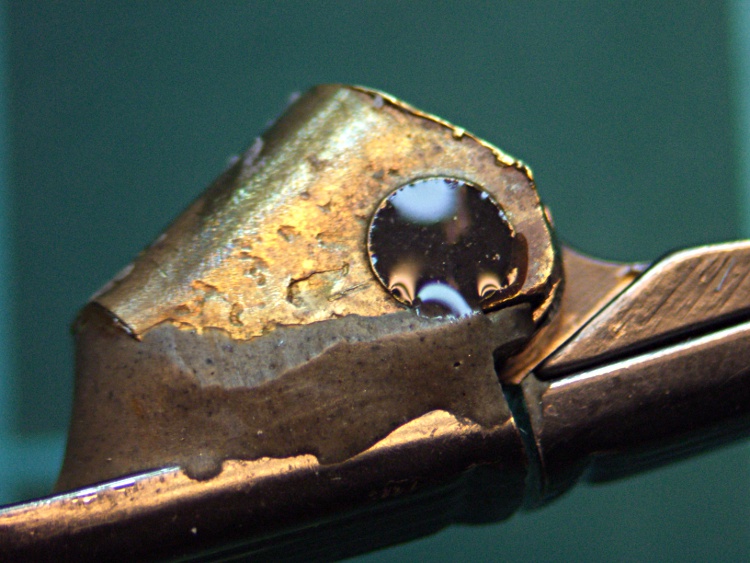
While excavating the top of my workbench and putting things away, I managed to drop my favorite needle-nose tweezers… which, of course, landed point-down on the concrete floor:
Mismatched tweezer jaw
Well, that gave me an excuse to match up the jaws. If you take a close look at most of your tweezers, they’ll have jaws that don’t quite come together evenly, so you’re trying to grab things with a single point instead of between two flat surfaces.
A brief session with coarse and medium diamond files produced this pleasing result (with a mm scale for size):
Matching tweezer jaws
Much better!
Another trick that works well: grab a piece of fine sandpaper in the tweezers, scrub sideways, and repeat for the other jaw. That’ll flatten out the jaws, make them reasonably parallel, and put the scratches in the direction that helps the most when you’re pulling something. Works best if the jaws are already pretty well aligned.
After the hinge repair described there, those old sunglasses have been working fine and I use them regularly. The screw recently worked its Loctite loose and was held in largely by blind faith.
It’s obvious why:
Sunglass hinge screw – loose
A tiny dab of JB KWIK should solve that problem for the foreseeable future:
Sunglass hinge screw – epoxy
In the highly unlikely event I must remove that screw, I’ll just refer to this picture and mill the epoxy out.
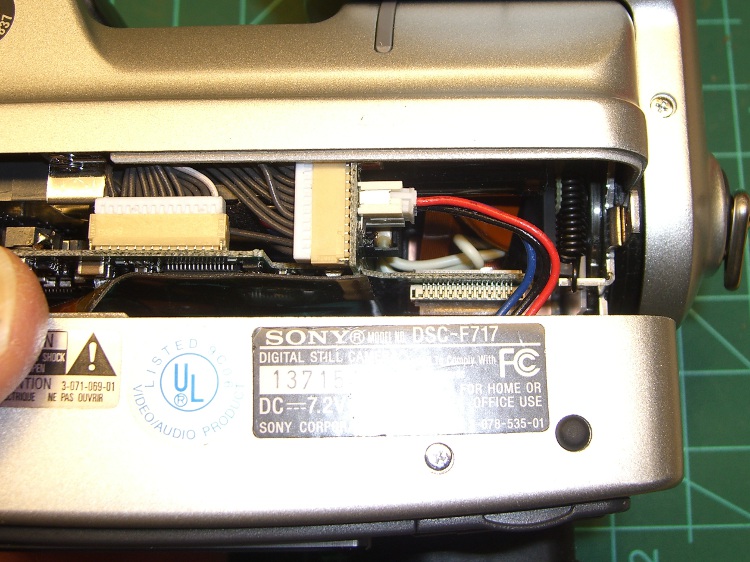
While I was fiddling with the camera to get that first spectrograph, it began coughing up an assortment of Memory Stick errors, including the dreaded C:13:01 error. Having had this happen several years ago, I knew it came from the ribbon cable contacts in the Memory Stick socket and the only way to fix it involves taking the camera apart.
Anyhow, here’s my version of the teardown and fix. This is a bit more aggressive than what you’ll read above, in that I disconnect all the cables to get straightforward access to the guts of the camera, but I think it makes everything easier. In any event, re-plugging the cables in those connectors will probably be a Good Thing.
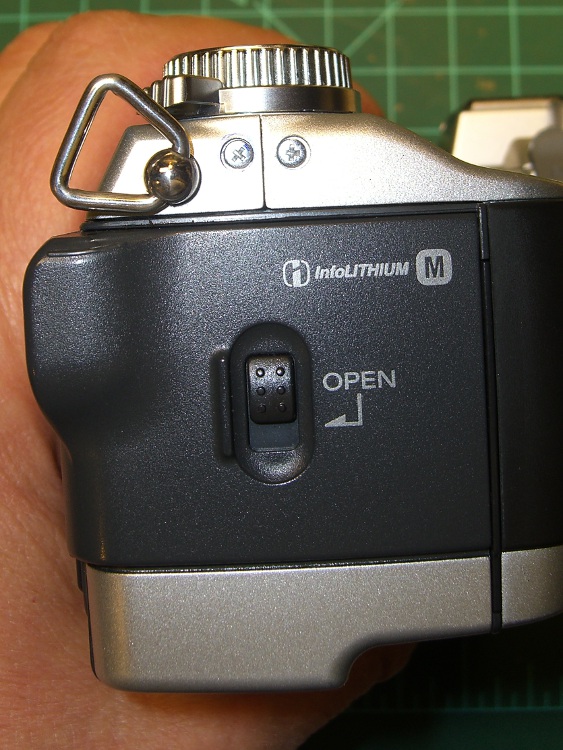
Remove the battery, Memory Stick, and all the straps and doodads. This fix will reset the camera to its factory defaults; you must eventually reset everything, so review your settings.
If your filing system depends on the camera’s numbering system: heads up! This will reset the image sequence numbers; the next picture will be DSC00001.JPG.
Remove the four Philips-00 screws that hold the rear case in place. Note that they are not identical…
Two on the left.
DSC-F717 case screws – left side
The rear screw on the right side.
DSC-F717 case screws – right side
The screw on the right side of the bottom passes through the front part of the case.
DSC-F717 case screws – bottom
Ease the whole rear half of the case, display and all, away from the front half, until you can disconnect the three-wire cable from the power jack. A needle-nose pliers may be helpful, but be gentle!
DSC-F717 internal power cable
Now things get nasty.
The flat paddle in the lower right plugs into a socket on the display board in the rear case: pry it out if it hasn’t popped out of its own accord.
Disconnect the ribbon cable on the left side by prying the gray latch away from the cable; the ribbon will pop out with no effort.
Put the rear part of the case somewhere out of the way.
DSC-F717 main board cables
Peel the static shield off the main circuit board. The black strip is a surprisingly strong adhesive tape that’s stuck to the ribbon cables along the top edge of the board. Peel gently!
DSC-F717 static shield
Pull the three cables out of the sockets along the top of the board. The blue cable seems to be much more fragile than the others, but they all come out by just pulling directly upward: parallel to the board.
Unscrew the two P-00 screws holding the main board in place: upper left and center of the board.
DSC-F717 main board cables – top
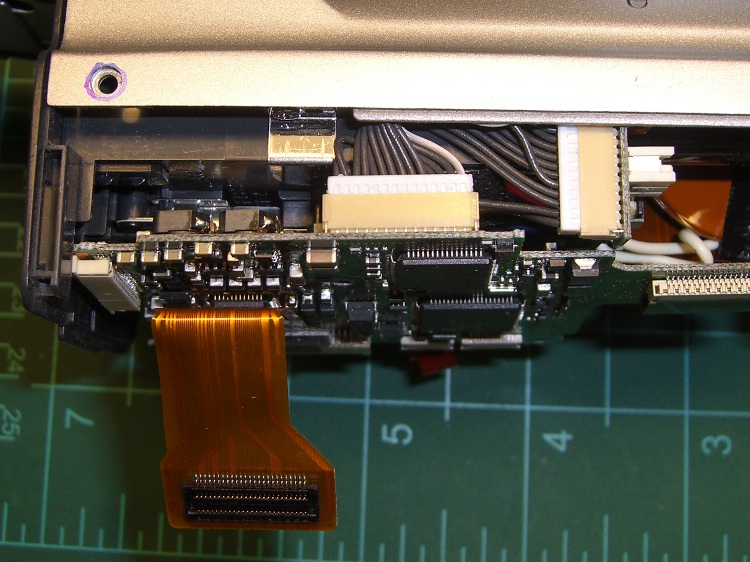
Flip the camera over and ease the main board away from the case to expose the white connector on the bottom. This is stuck firmly in place, so try to not brutalize anything around the connector when it pops out.
DSC-F717 main board cables – bottom
That leaves only the ribbon cable on the right of this picture (left of the camera) connecting the optical section to the main board. Push the two ends of the gray latch bar parallel to the cable (it is not the same as the connector on the other side of the board shown above) away from the connector until the bar releases the cable and it pops out.
Put the main board somewhere safe.
DSC-F717 main board cables – rear
Now you can actually see the Memory Stick socket behind all the ribbon cables!
DSC-F717 Memory Stick socket – exposed
Remove the two P-00 mounting screws, one to the upper right and the other to the lower right in the steel retaining bar.
Remove the socket from the camera. Whew!
DSC-F717 Memory Stick socket – retaining screws
Here is the offending cable entry into the Memory Stick socket. Pull the mumble cable out.
DSC-F717 Memory Stick socket – cable entry
The socket pins evidently move just a little bit, every time you put in a Memory Stick, eroding teeny divots in the cable contact pads. I generally use the USB connection, so the socket doesn’t see a lot of motion. Your mileage may vary.
DSC-F717 Memory Stick cable indentations
I cleaned off the ribbon cable pads with Caig DeoxIT, although I’m not convinced that really does anything in this situation.
This guy dismantled the socket to clean the internal contacts, which would probably make sense while you’ve got the hood up. I didn’t do that this time, though.
Then you reassemble everything in reverse order, after which the camera Just Works. Probably for another few years.
The puzzling part of this failure: the camera has literally hundreds of ribbon cable contacts, but only the Memory Stick cable goes bad. If any other cable failed, the camera would go Toes Up, right? Next time around I may try soldering thin copper pads on the cable or applying a thin backing layer to improve the resilience, but that sounds pretty risky even to me.
If you haven’t done so already, put a write-protected image of your biz card / contact info on every Memory Stick you use with your cameras to make it easy for an honest person who finds your camera to get in touch with you. The dishonest ones won’t change their behavior one way or the other.
Take a picture of your card now: the camera will set up the folders and name it DSC00001.JPG. If you’ve already got such a file, take a picture anyway, delete it, then copy your existing file to the camera as DSC00001.JPG. In either case, write-protect the file.
Memo to Self: next time, take the socket apart and cast some epoxy around the contacts to prevent further motion.








 The Smell of Molten Projects in the Morning